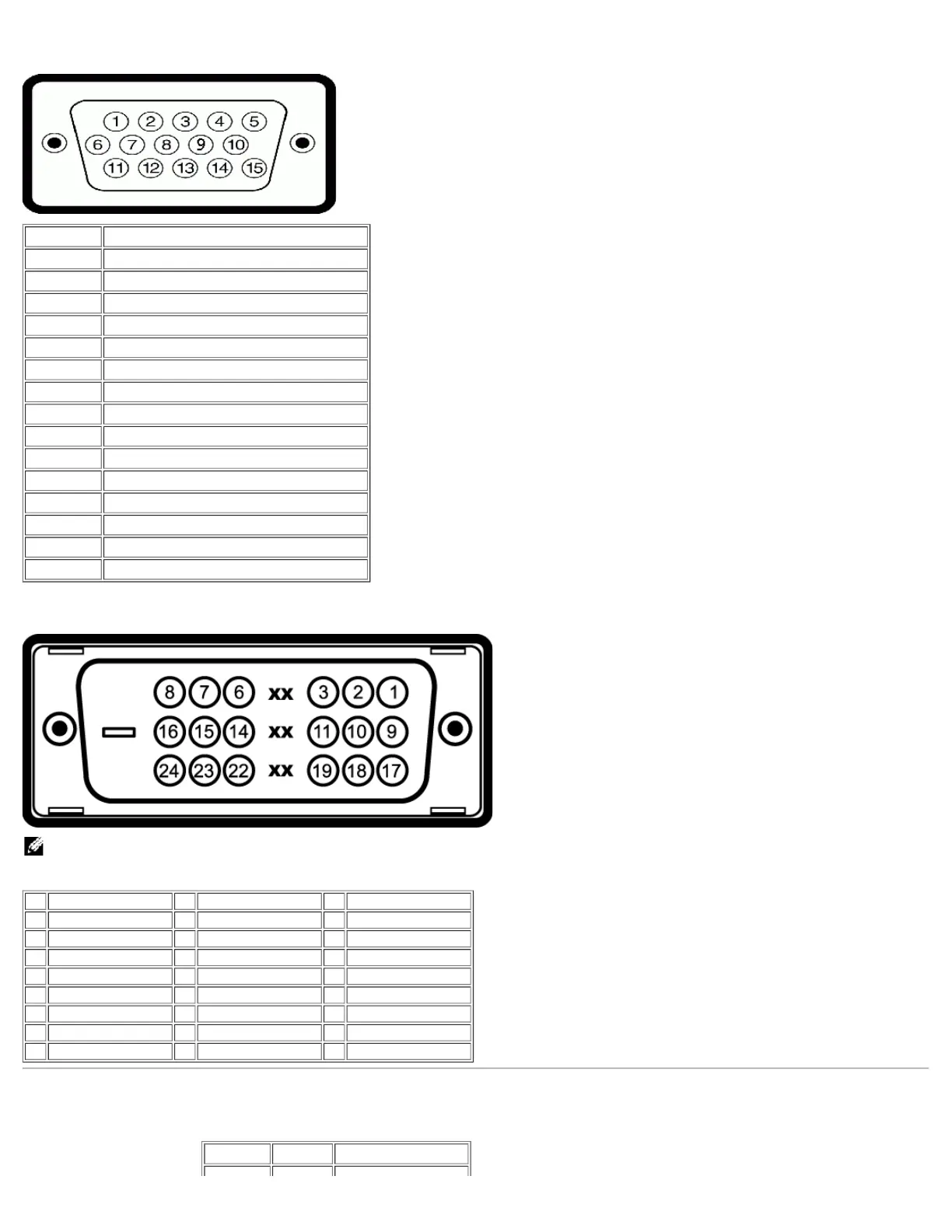
Pin Number Monitor Side of the 15-pin Side Signal Cable
1 Video-Red
2 Video-Green
3 Video-Blue
4 GND
5 Self-Test
6 GND-R
7 GND-G
8 GND-B
9 DDC +5V
10 GND
11 GND
12 DDC data
13 H-sync
14 V-sync
15 DDC clock
24-pin Digital-only DVI Connector
NOTE: Pin 1 is at the top right.
The following table shows pin assignments in the DVI connector:
Pin Signal Assignment Pin Signal Assignment Pin Signal Assignment
1 T.M.D.S. Data 2- 9 T.M.D.S. Data 1- 17 T.M.D.S. Data 0-
2 T.M.D.S. Data 2+ 10 T.M.D.S. Data 1+ 18 T.M.D.S. Data 0+
3 T.M.D.S. Data 2 Shield 11 T.M.D.S. Data 1 Shield 19 T.M.D.S. Data 0 Shield
4 No Connect 12 No Connect 20 No Connect
5 No Connect 13 No Connect 21 No Connect
6 DDC Clock 14 +5V Power 22 T.M.D.S. Clock Shield
7 DDC Data 15 Self-Test 23 T.M.D.S. Clock +
8 No Connect 16 Hot Plug Detect 24 T.M.D.S. Clock -
Universal Serial Bus (USB) Interface
This monitor supports High-Speed Certified USB 2.0 interface.
Data Rate Power Consumption










 To Next Page