28 | Setting Up the Monitor
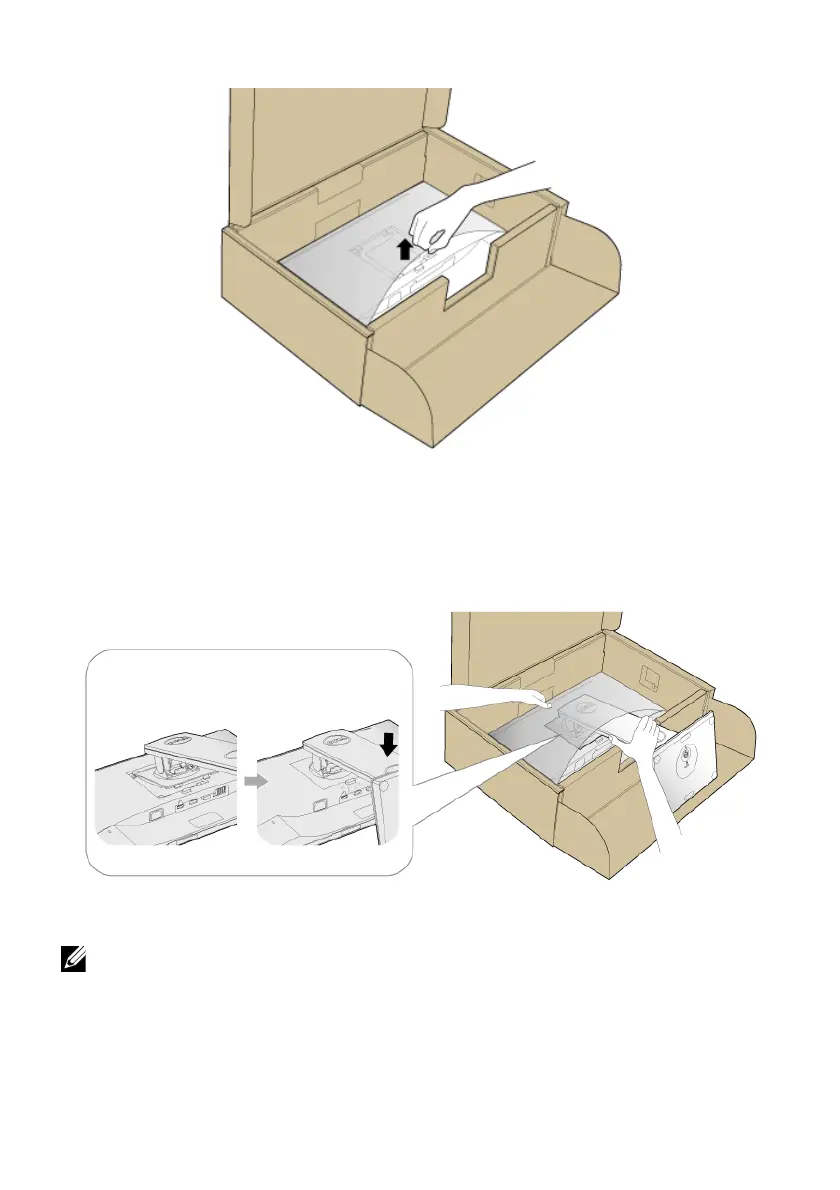
5 Lift the cover, as shown, to expose the VESA area for stand assembly.
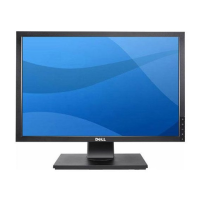
6 Attach the stand as
sembly to the monitor.
a Fit the two tabs on the upper part of the stand to the groove on the back of the
monitor.
b Press the stand down till it snaps into place.
7 Place the monitor upright.
NO
TE: Lift the monitor carefully to prevent it from slipping or falling.



 To Next Page