Setting Up the Monitor | 27
Setting Up the Monitor
Attaching the Stand
NOTE: The stand is detached when the monitor is shipped from the factory.
NOTE: This is applicable for a monitor with a stand. When any other stand is
bought, please refer to the respective stand setup guide for the set-up instructions.
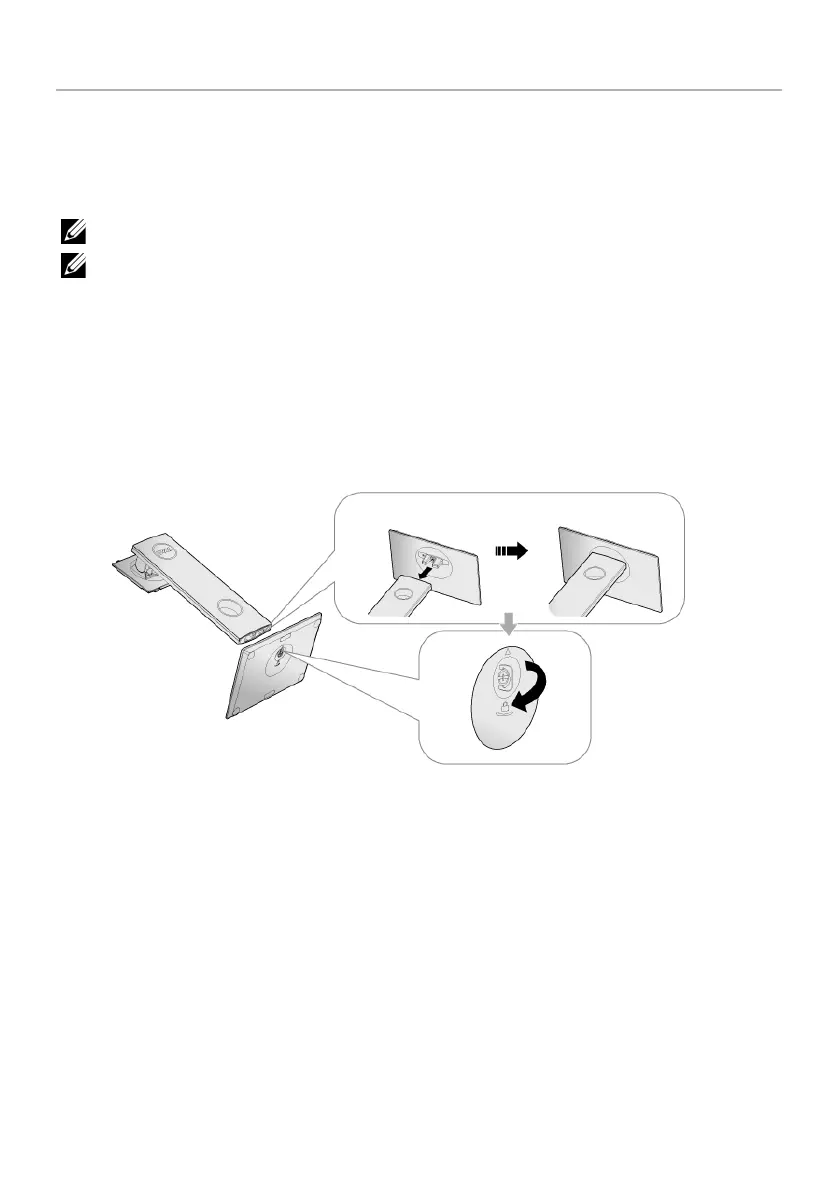
To attach the monitor stand:
1 Follo
w the instructions on the flaps of carton to remove the stand from the top
cushion that secures it.
2 Insert the sta
nd base blocks fully into the stand slot.
3 Lift the screw handle and turn the screw clockwise.
4 Afte
r fully tightening the screw, fold the screw handle flat within the recess.



 To Next Page