36 | Operating the Monitor
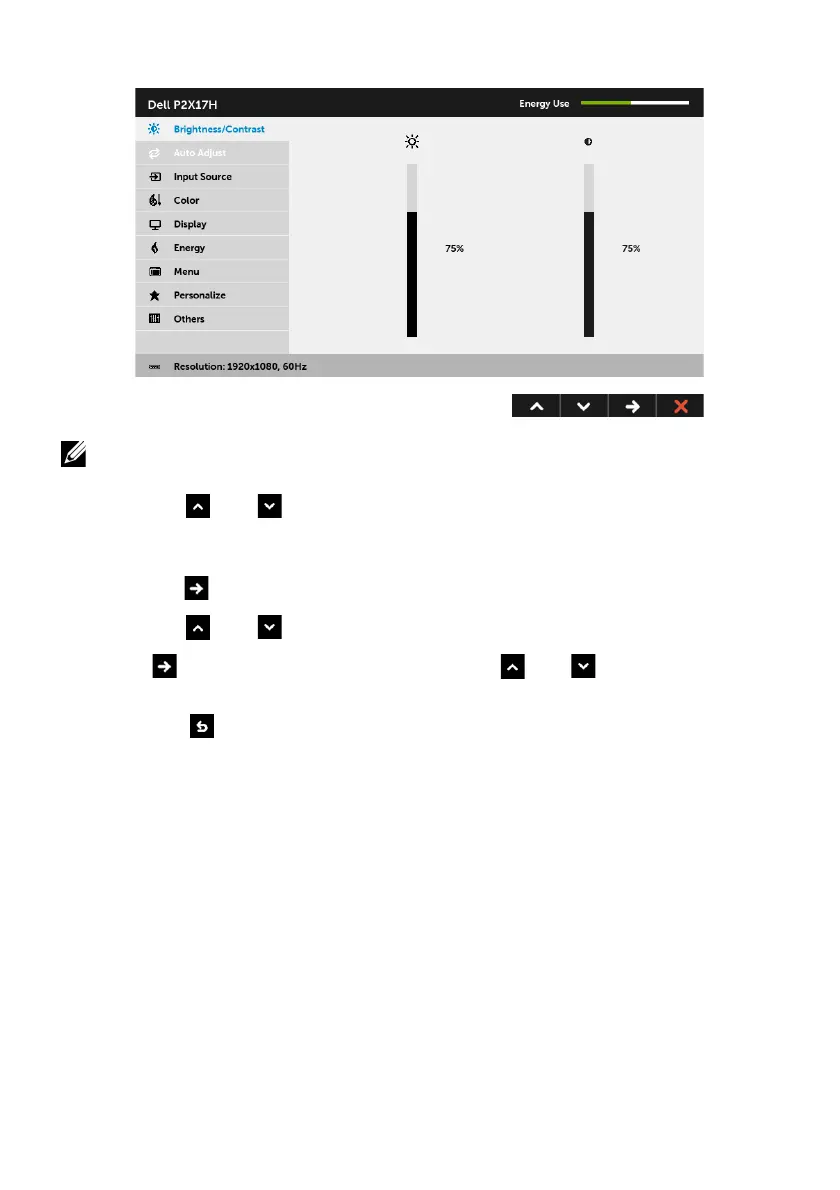
Main Menu for digital (DP) input
NO
TE: Auto Adjust is only available when you use the analog (VGA) connector.
2 Pr
ess the and buttons to move between the setting options. As you move
from one icon to another, the option name is highlighted. See
the following table
for a complete list of all the options available for the monitor.
3 Pr
ess the button once to activate the highlighted option.
4 Press the and buttons to select the desired parameter.
5 Pr
ess to enter the slide bar and then use the and buttons, according to
the indicators on the menu, to make your changes.
6 Sele
ct the button to return to the main menu.



 To Next Page