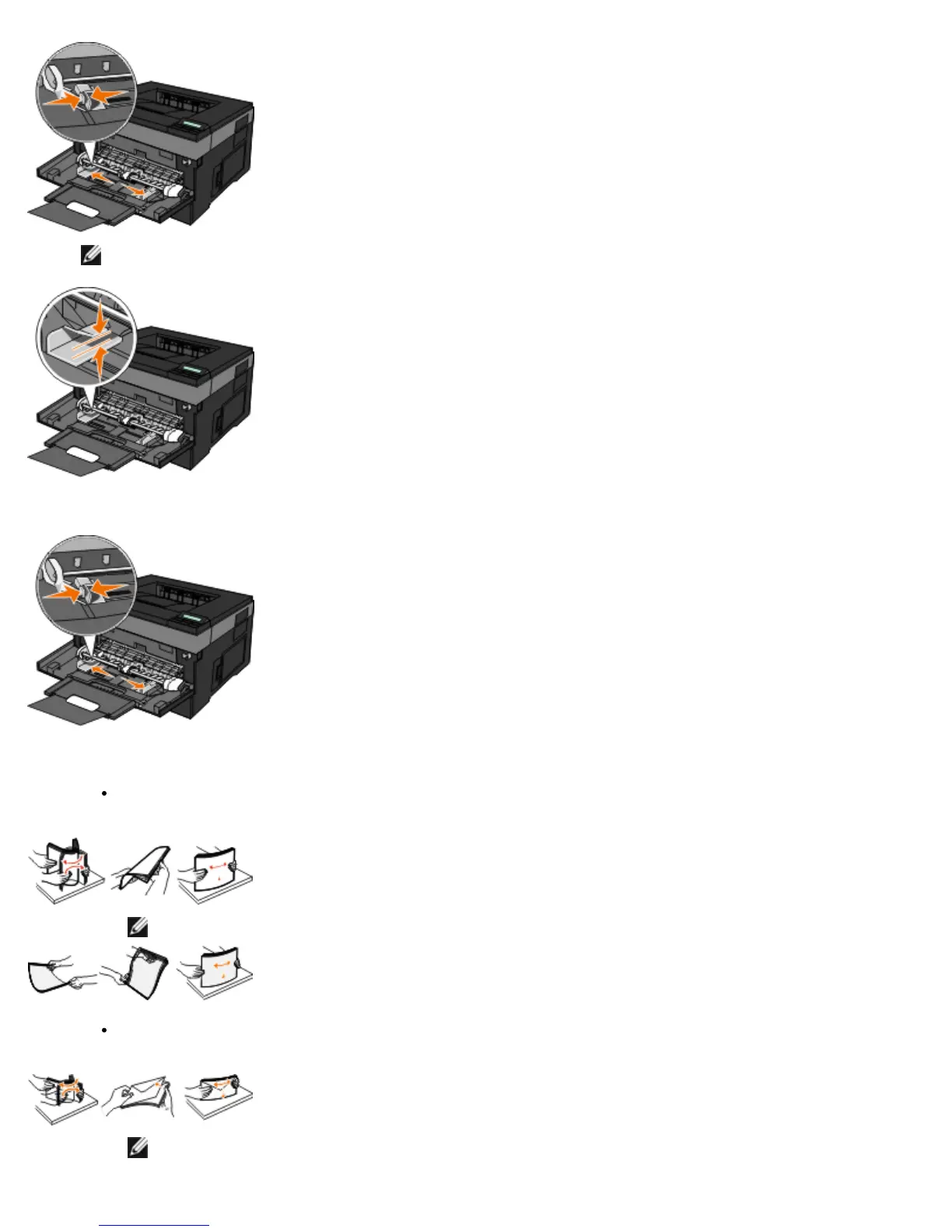
NOTE: Do not exceed the maximum stack height by forcing paper or specialty media under the stack height
limiters which are located on the guides.
2. Adjust the paper guides to the print media's width.
3. Prepare the print media for loading.
Flex sheets of paper or paper labels back and forth to loosen them, and then fan them. Do not fold or crease the
paper or labels. Straighten the edges on a level surface.
NOTE: Avoid touching the print side of the transparencies. Be careful not to scratch them.
Flex a stack of envelopes back and forth to loosen them, and then fan them. Straighten the edges on a level
surface.
NOTE: Fanning prevents the edges of envelopes from sticking together. It helps them feed properly to
avoid jams. Do not fold or crease envelopes.












 To Next Page