EasyManua.ls Logo

Dell 4100MP - Installation; Connecting the Projector to a Computer; Connecting to a DVD Player

Dell 4100MP
50 pages
Print Icon
To Next Page IconTo Next Page
To Previous Page IconTo Previous Page
Loading...
Back to Contents Page
Installation:Dell™4100MPProjectorUser'sGuide
Connecting the Projector
Powering On/Off the Projector
Adjusting the Projected Image
Changing the Lamp
Installing the Card Reader (User purchasing option)
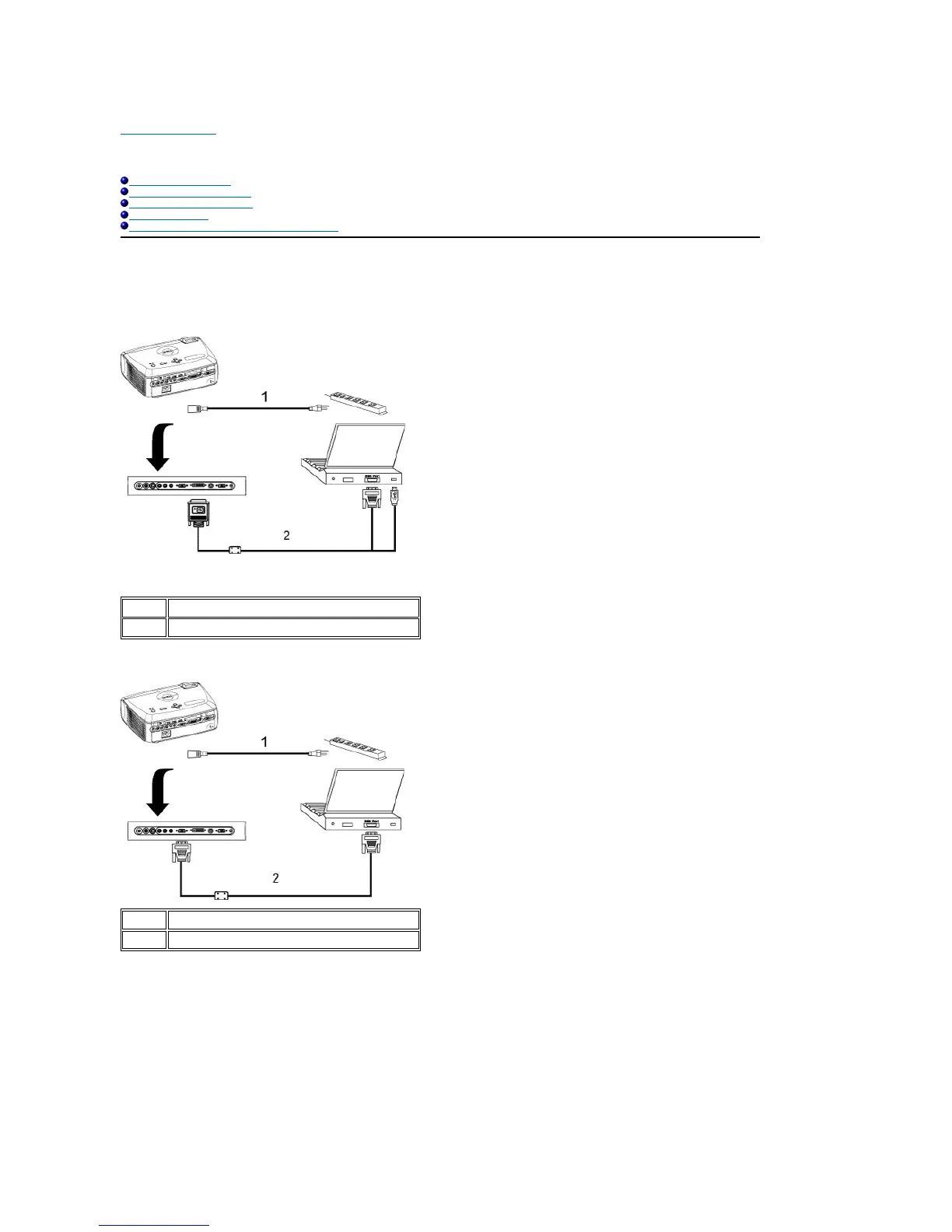
Connecting the Projector
A. To Computer: There are two possible methods of connecting to a computer.
1. Connecting with M1-A to D-sub/USB cable:

1
Power cord
2
M1-A to D-sub/USB cable
2. Connecting with D-sub to D-sub cable:
1
Power cord
2
D-sub to D-sub cable
B. To DVD Player: There are three possible methods of connecting to a DVD player.
1. Connecting with component cable: There are three possible methods of using component cable for connecting to a DVD player.
1a) Connecting with M1-A to HDTV cable:

Other manuals for Dell 4100MP

Related product manuals