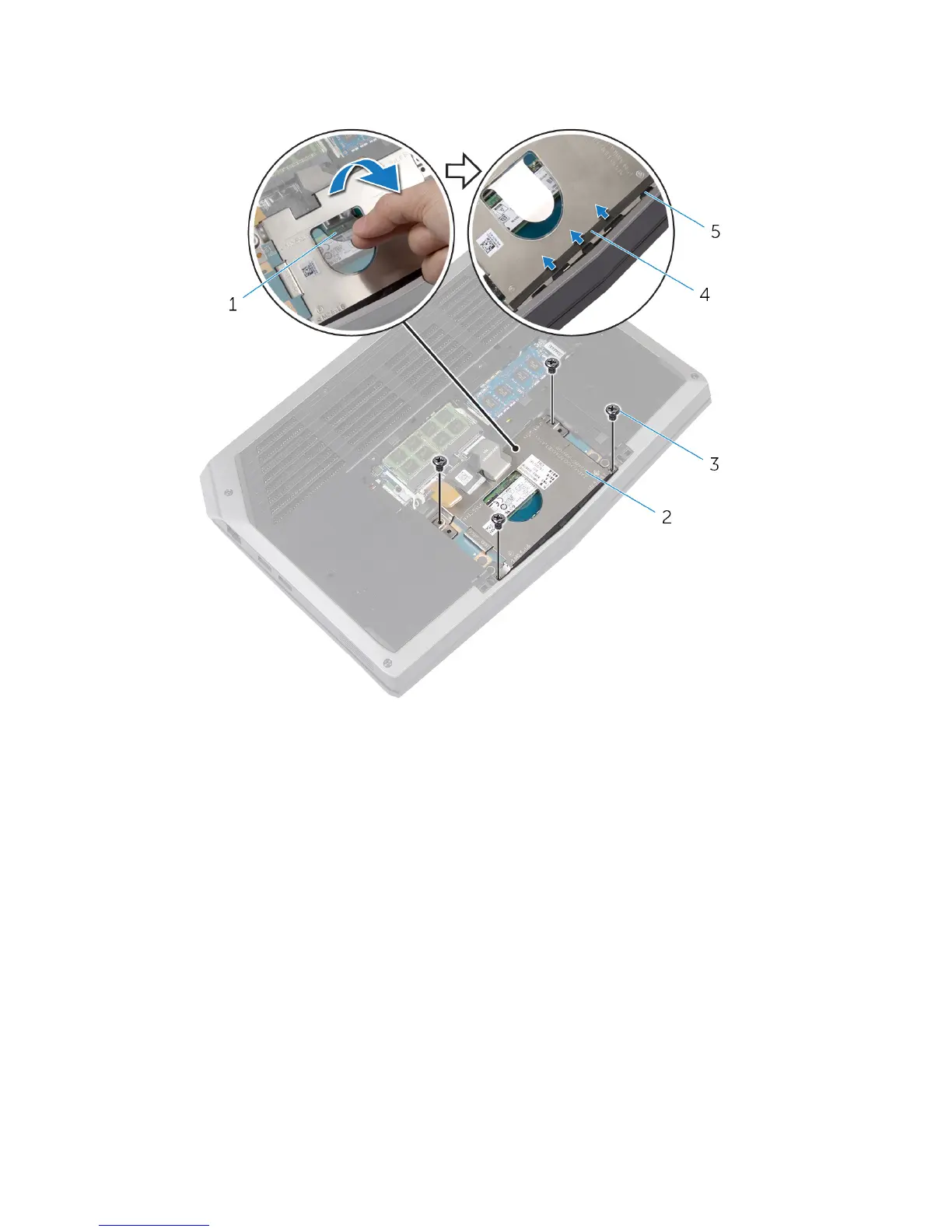
2 Using the pull tab, pivot the solid-state drive bracket and peel off the
bracket from the tabs on the computer base.
1 pull tab 2 solid-state drive bracket
3 screws (4) 4 adhesive tape
5 tabs (4)
3 Using the pull tab, disconnect the solid-state drive cable from the system
board.
23












 To Next Page