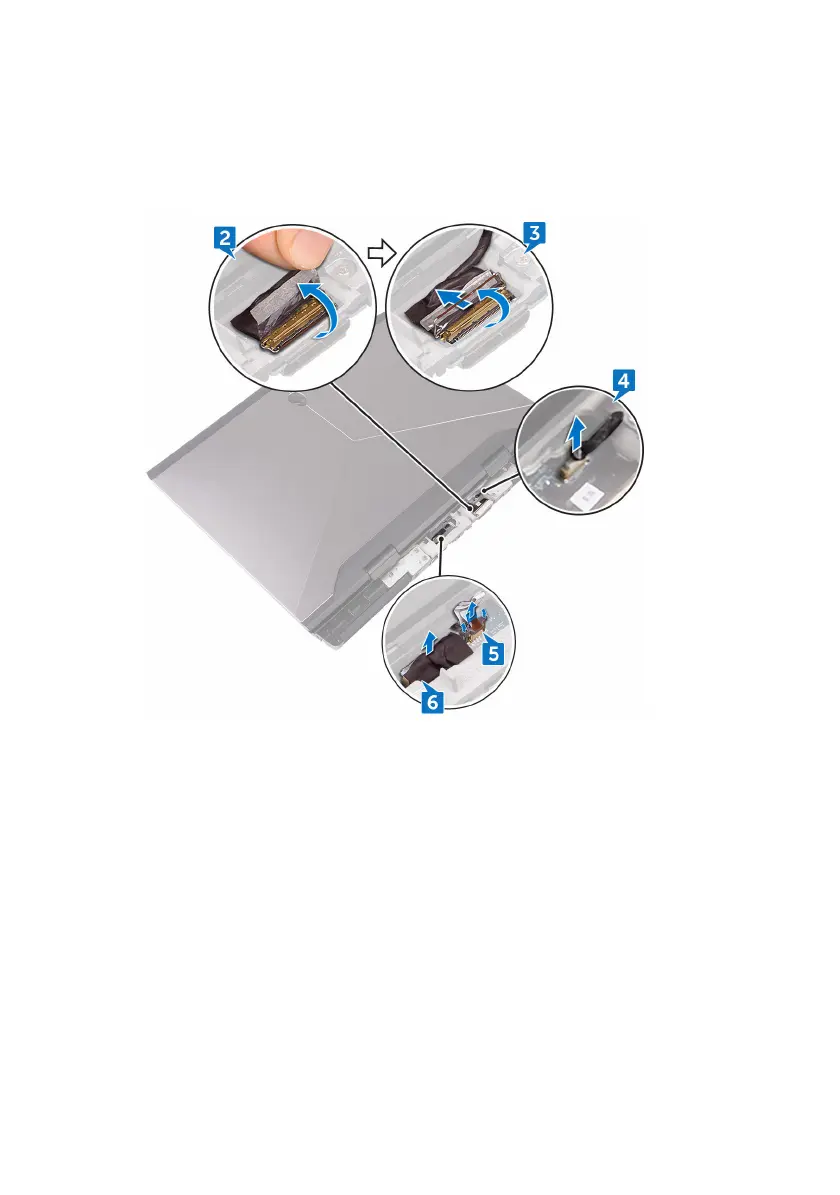
4 Disconnect the tobii eye-tracker board cable from the system board.
5 Using the pull-tab, disconnect the power-button board cable from the system
board.
6 Disconnect the logo-board cable from the system board.
7 Turn the computer over.
8 Disconnect the coin-cell battery cable from the system board.
9 Peel off the tape that secures the coin-cell battery cable to the system board.
10 Disconnect the power-adapter port cable from the system board.
11 Disconnect the speaker cable from the system board.
12 Lift the latch and disconnect the macro-keys backlight cable from the system
board.
13 Lift the latch and disconnect the keyboard-backlight cable from the system
board.
58












 To Next Page