Setting up your gaming mouse | 7
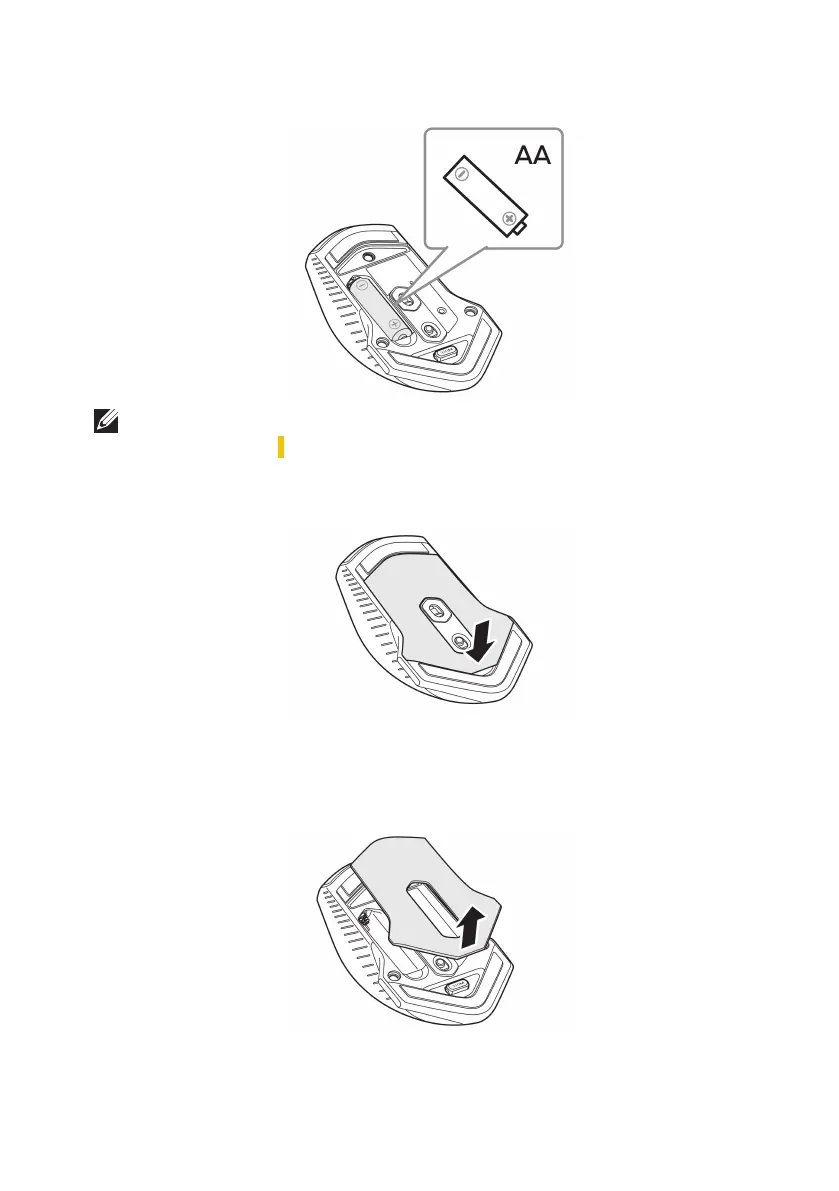
4. Install the AA battery into the battery compartment.
NOTE: Replace with new battery when the battery LED indicator starts
flashing amber ( ).
5. Place the battery cover back.
Removing the USB wireless dongle
1. Lift the battery cover.


 To Next Page