015
015
/
CHAPTER 2: GETTING TO KNOW YOUR DESKTOP
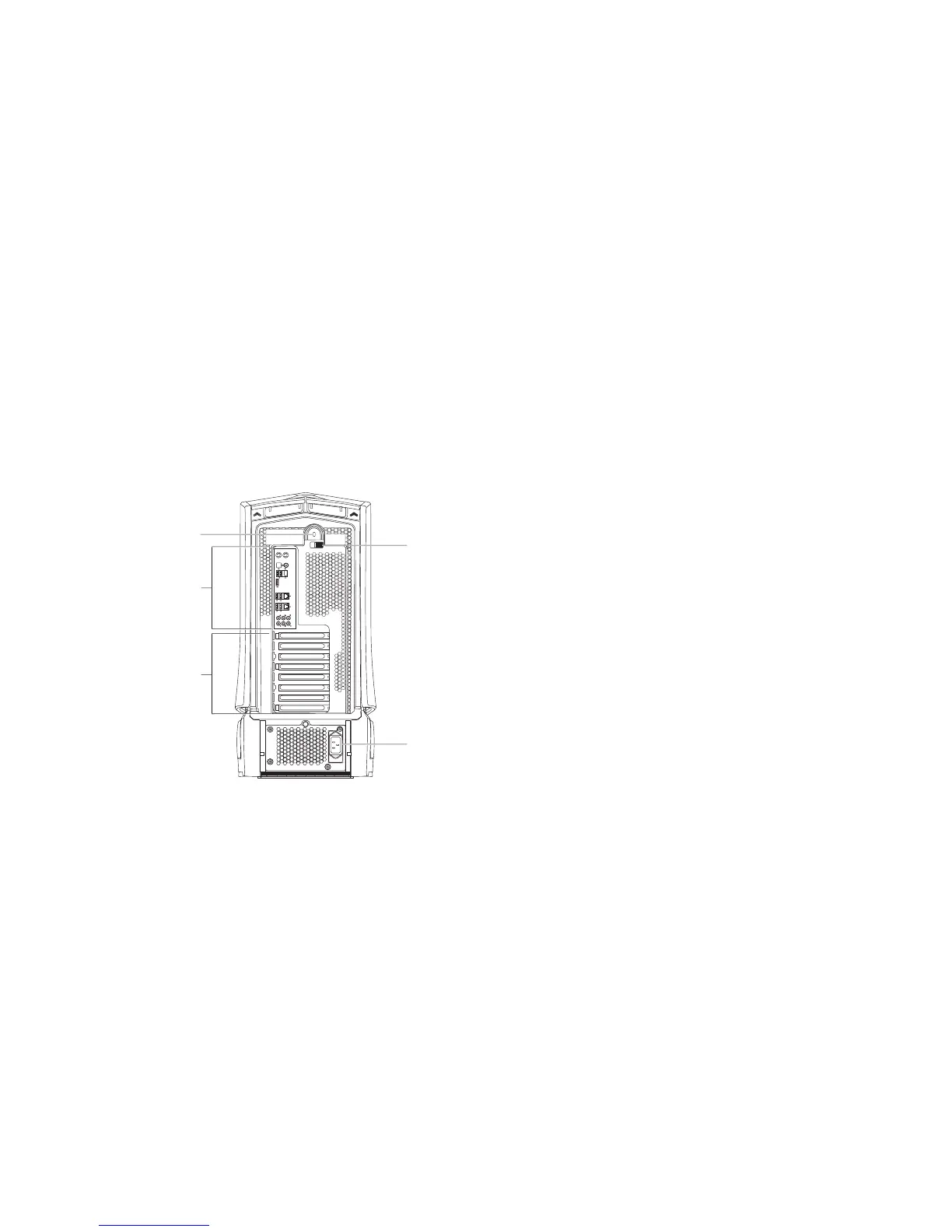
1 Security lock slot — Attaches a commercially available security cable to
the computer.
NOTE: Before you buy a security cable, ensure that it works with the
security lock slot on your computer.
2 Back panel connectors — Connects USB, audio, and other devices into the
appropriate connectors.
For more information, see “Back Panel Connectors” on page 16.
3 Expansion card slots — Access connectors for any installed PCI and
PCI express cards.
4 Power connector — Connects to the power cable.
5 Latch — Closes or opens the security lock slot and locks or unlocks the
release panel. Slide the latch to the left to access the security lock slot and
to lock the release panel.
For information on the side panel, see “Opening and Closing the Side
Panel” on page 38.
Back View Features











 To Next Page