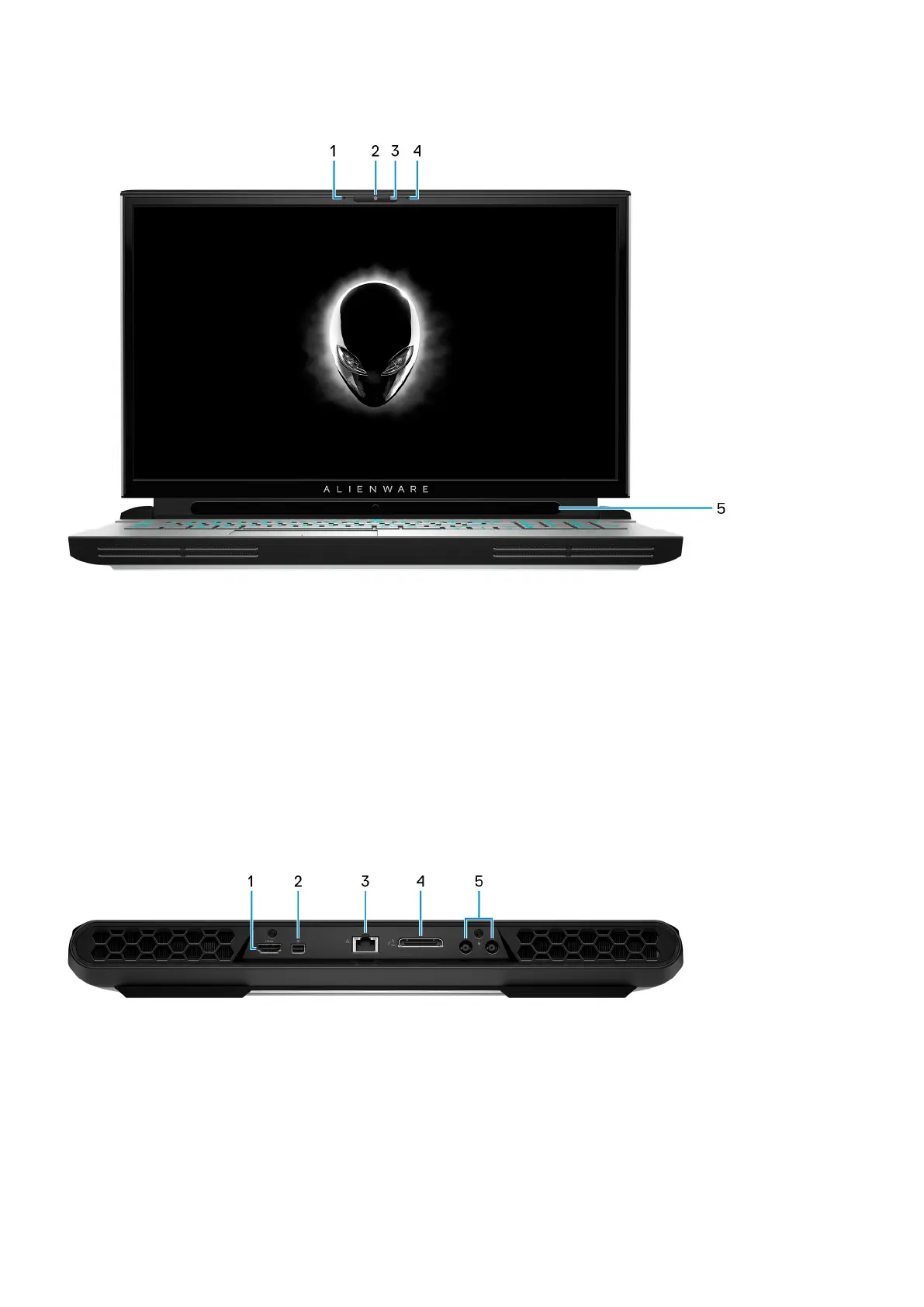
Display
1. Left microphone
Provides digital sound input for audio recording and voice calls.
2. Camera
Enables you to video chat, capture photos, and record videos.
3. Camera-status light
Turns on when the camera is in use.
4. Right microphone
Provides digital sound input for audio recording and voice calls.
5. Tobii Eye Tracker
Application that enables you to interact with your computer using your eyes.
Back
1. HDMI port
Connect to a TV or another HDMI-in enabled device. Provides video and audio output.
2. Mini DisplayPort
Connect to a TV or another DisplayPort-in enabled device. Provides video and audio output.
3. Network port
Connect an Ethernet (RJ45) cable from a router or a broadband modem for network or Internet access.
4. External graphics port
7










 To Next Page