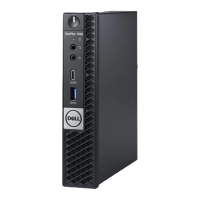
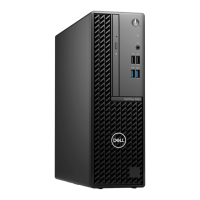
Removing and installing components
This section provides detailed information on how to remove or install the components from your computer.
Topics:
• Recommended tools
• Removing the cover
• Installing the cover
• Removing the front bezel
• Installing the front bezel
• Removing the fan duct
• Installing the fan duct
• Removing the memory module
• Installing the memory module
• Removing the intrusion switch
• Installing the intrusion switch
• Removing the expansion card
• Installing the expansion card
• Removing the hard drive assembly
• Removing the hard drive from the hard drive bracket
• Installing the hard drive into the hard drive bracket
• Installing the hard drive assembly
• Removing the optical drive
• Installing the optical drive
• Removing the system fan
• Installing the system fan
• Removing the heat sink assembly
• Installing the heat sink assembly
• Removing the processor
• Installing the processor
• Removing the VGA daughter board
• Installing the VGA daughter board
• Removing the power supply unit (PSU)
• Installing the power supply unit (PSU)
• Removing the power switch
• Installing the power switch
• Removing the SD card reader
• Installing the SD card reader
• Installing the optional SSD card
• Removing the optional SSD card
• Removing the system board
• Installing the system board
• System board layout
Recommended tools
The procedures in this document require the following tools:
● Small flat blade screwdriver
● Phillips screwdriver
● Small plastic scribe
2
6 Removing and installing components


 To Next Page