Removing and Installing Parts 97
c
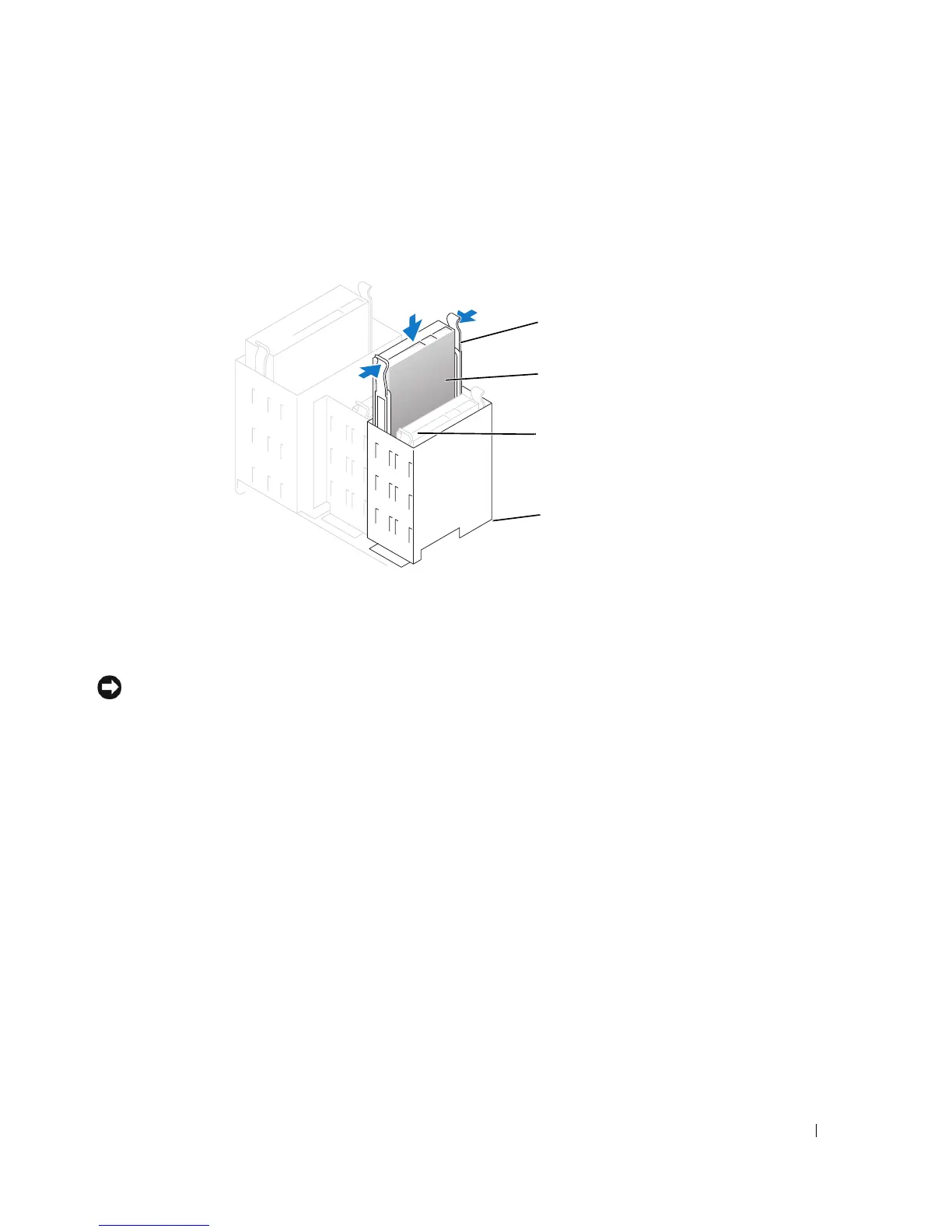
Gently slide the first hard drive into the lower bay until you hear a click.
d
Reconnect the power and data cable to the back of the first hard drive.
6
Gently slide the new hard drive into the upper bay until you hear a click.
7
Connect a power cable to the drive.
8
Connect the data cable to the drive and to the system board (see page 75).
9
Close the computer cover (see page 107).
NOTICE: To connect a network cable, first plug the cable into the network device and then plug it into
the computer.
10
Connect your computer and devices to their electrical outlets, and turn them on.
See the documentation that came with the drive for instructions on installing any software
required for drive operation.
rail tabs (2)
second hard drive in
upper bay
hard drive bay
first hard drive in
lower bay









 To Next Page