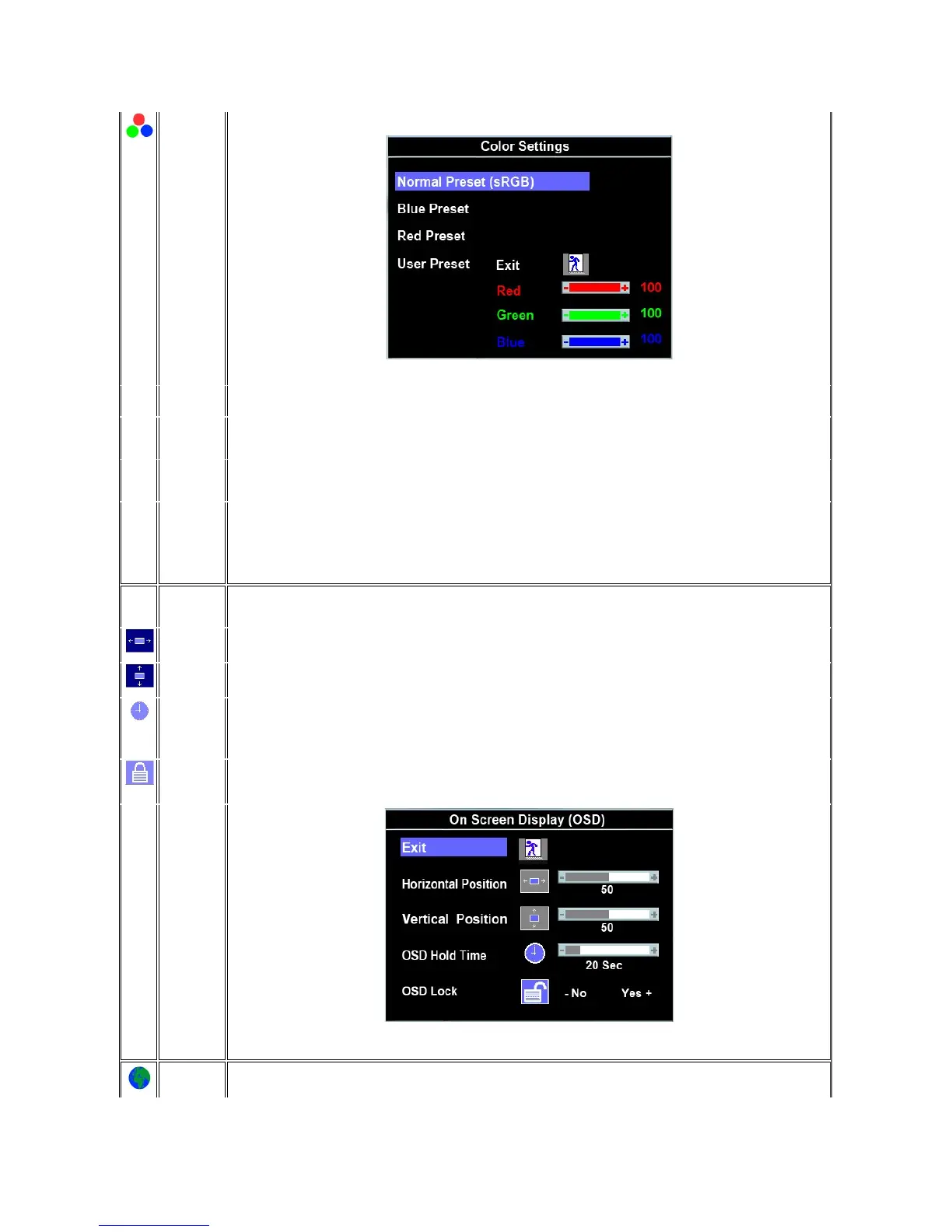
Adjusts the color temperature and saturation.
Selected to obtain the default (factory) color settings.
This color setting gives a bluish tint and is used for text-based applications such as spreadsheets, programming, text editors, and so
on.
This color setting gives a reddish tint and is used for color-intensive applications such as photograph image editing, multimedia,
movies, and so on.
Use the +/- buttons to increase or decrease each of the three colors (R, G, B) independently, in single digit increments, from '0' to
'100'.
NOTE: 'Color temperature' is a measure of the 'warmth' of the image colors (red/green/blue). The two available presets ('Blue' and
'Red') favor blue and red accordingly. Select each one to see how each range suits your eye; or utilize the 'User Preset' option to
customize the color settings to your exact choice.
Each time the OSD opens, it displays in the same location on the screen. 'OSD Settings' (horizontal/vertical) provides control over this
location.
- and + buttons move OSD to the left and right.
- and + buttons move OSD down and up.
The OSD stays active for as long as it is in use.
'OSD Hold Time': Sets the length of time the OSD will remain active after the last time you pressed a button.
Use the - and + buttons to adjust the slider in 5 second increments, from 5 to 60 seconds.
NOTE: Default 'OSD hold time' is 20 seconds.
Controls user access to adjustments. When 'Yes' (+) is selected, no user adjustments are allowed. All buttons, except Menu, are
locked.
Allbuttonscanbelockedorunlocked.Pressthe'Menu'buttonforover15secondstounlocktheOSDmenu.
NOTE: When the OSD is locked, pressing the 'Menu' button will take the user directly to the 'OSD settings' menu, with 'OSD Lock'
preselected on entry. Select 'No'(-) to unlock and allow user access to all applicable settings.
Language sets the OSD to display in one of eightlanguages(English,Español,Français,Deutsch,Japanese,BrazilianPortuguese,
Russian, Simplified Chinese).



 To Next Page