Back to Contents Page
Dell™ Soundbar (Optional): E173FP Flat Panel Color Monitor User's Guide
Overview • Graphics • Soundbar Attachment to Monitor • Specification • Troubleshooting
Overview
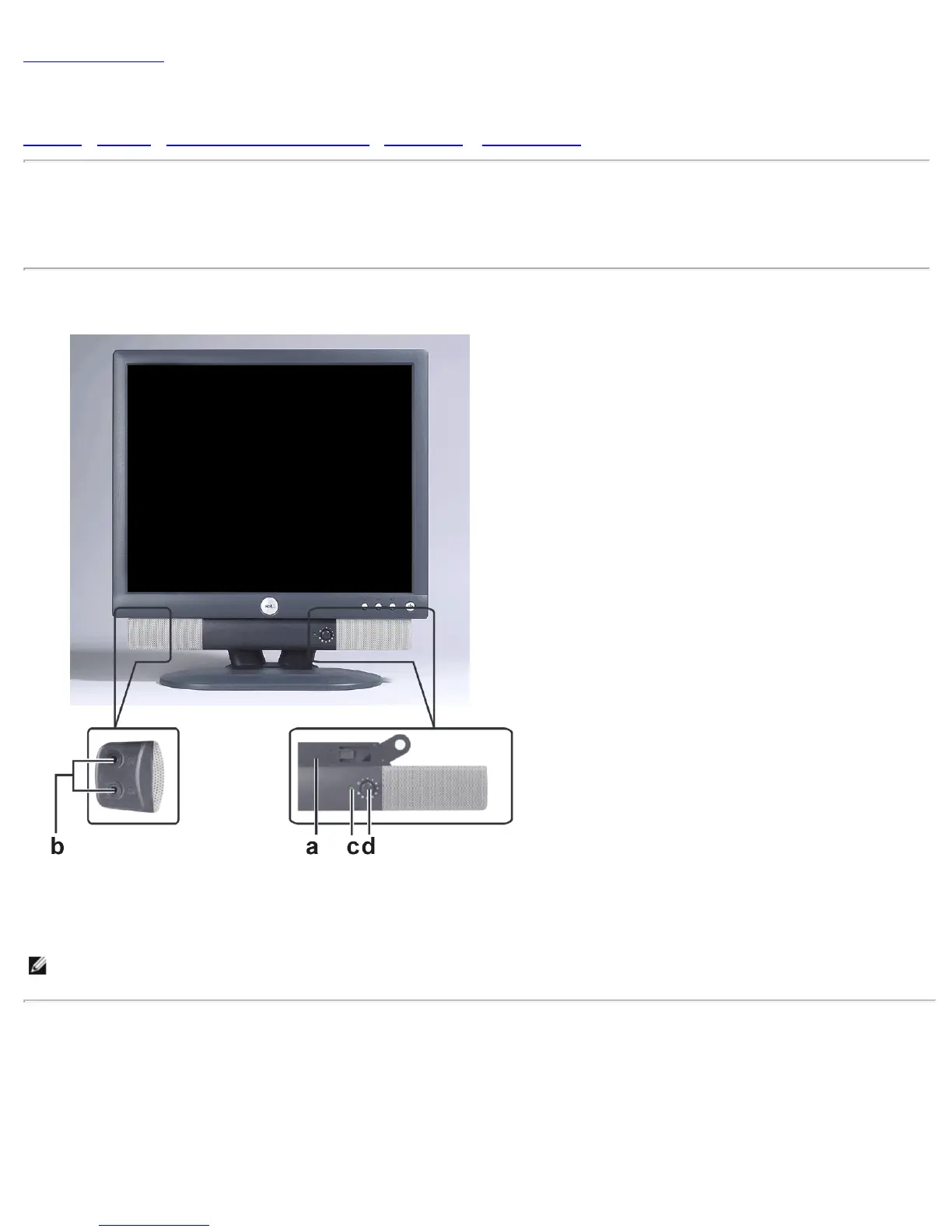
The Dell™ Soundbar is a four-speaker, two-channel system adaptable to mount on Dell Flat Panel Displays. Located on the Soundbar area: A
rotary volume and on/off control to adjust the overall system level, a green LED for power indication, and two audio headset jacks.
Graphics
a. Attach Mechanism b. Headphone Jacks
c. Power Indicator d. Power / Volume control
NOTE: The graphic is for illustration only. Product appearance may vary.
Soundbar Attachment to Monitor



 To Next Page