EasyManua.ls Logo

Dell E178FP - Using the Dell Soundbar (Optional)

Dell E178FP
35 pages
Print Icon
To Next Page IconTo Next Page
To Previous Page IconTo Previous Page
Loading...
Great user manuals database on UserManuals.info
See Troubleshooting for more information.
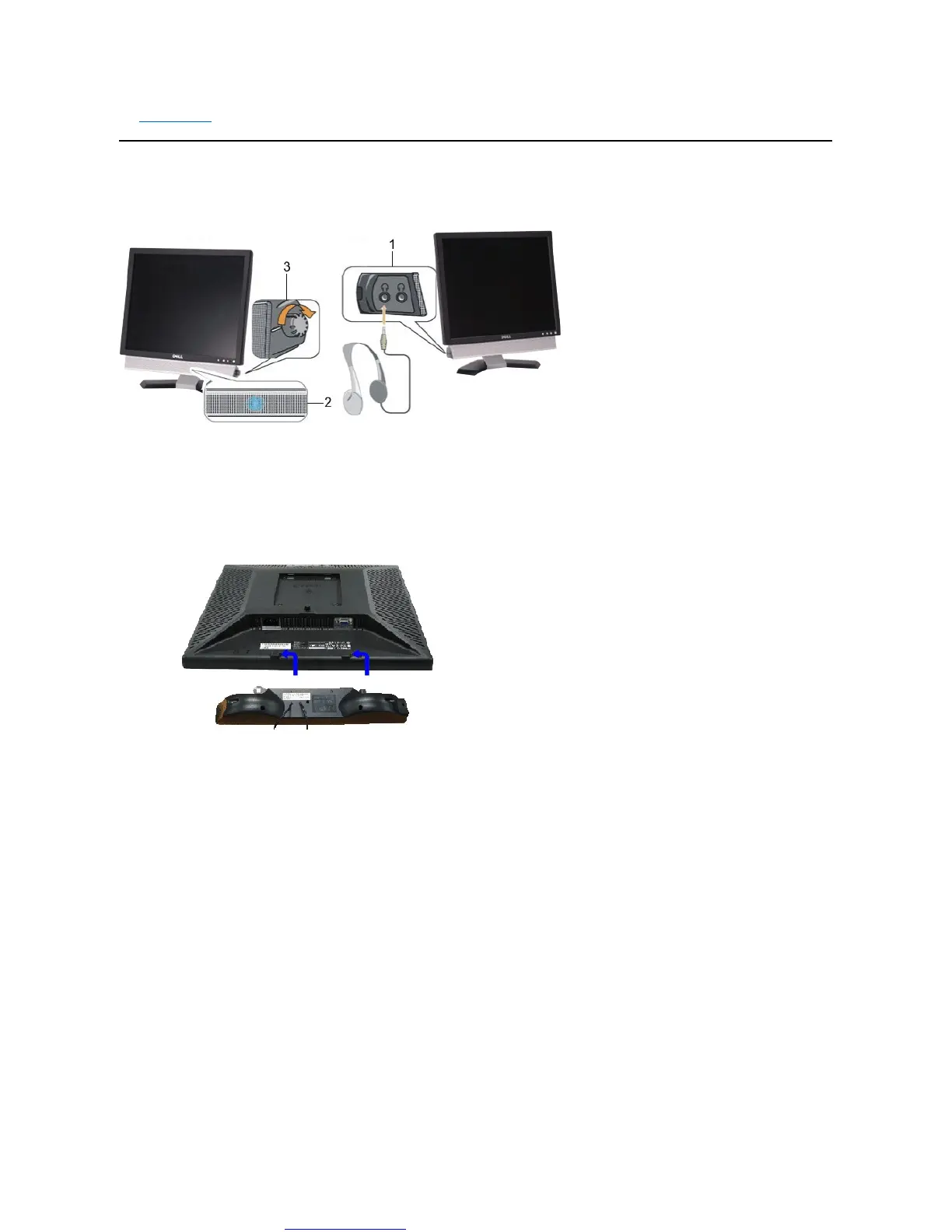
UsingtheDell™Soundbar(Optional)
TheDellSoundbarisastereotwochannelsystemadaptabletomountonDellFlatPanelDisplays.The Soundbar has a rotary volume and on/off control to
adjust the overall system level, a blue LED for power indication, and two audio headset jacks.
Soundbar Attachment to the Monitor

1.
Headphone connectors
2.
Power indicator
3.
Power/Volume control

Other manuals for Dell E178FP

Related product manuals