30 Operating the Monitor
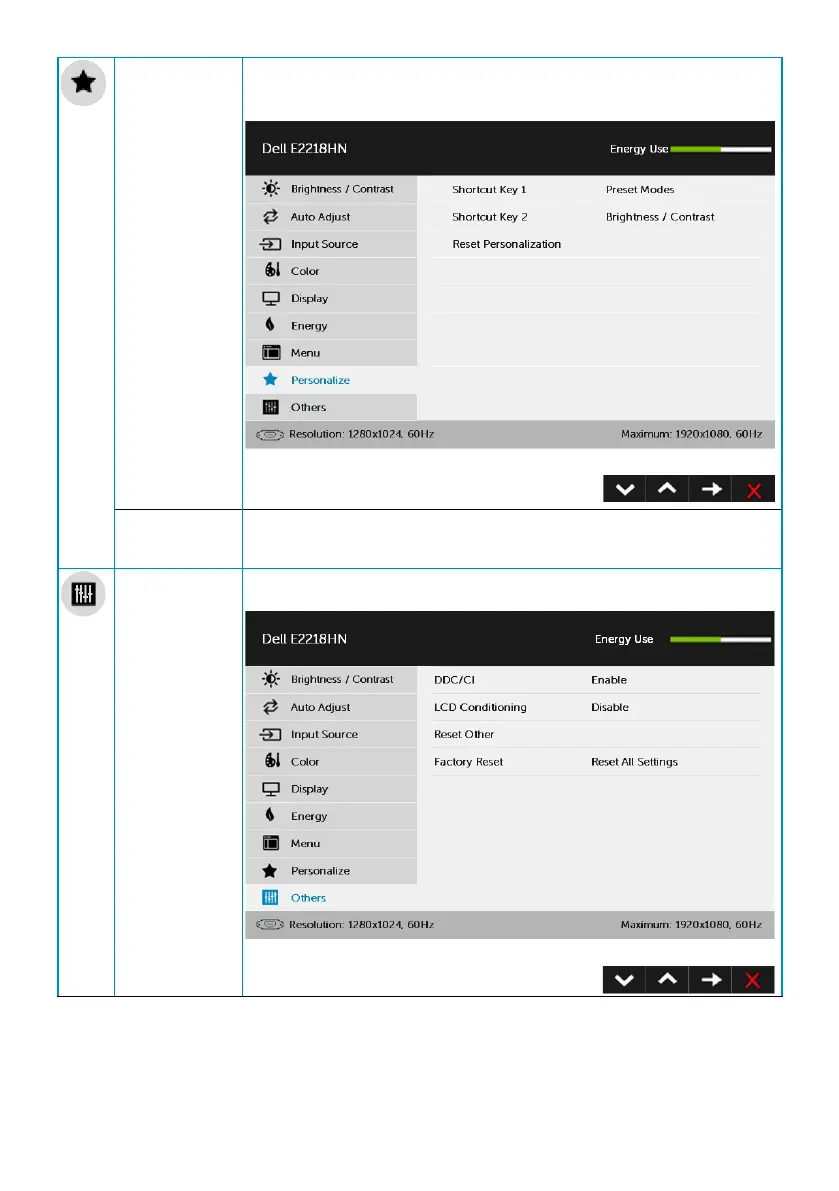
Personalize User can select from “Preset Modes”, “Brightness/Contrast”,
“Auto Adjust”, “Input Source”, “Aspect Ratio” and set as shortcut
key.
Reset
Personaliza-
tion
Allows you to restore shortcut key to the default setting.
Others Select this option to adjust the OSD settings, such as the DDC/
CI, LCD Conditioning, and so on.



 To Next Page