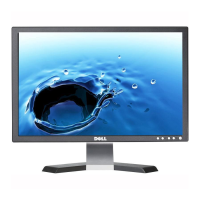
Width 20.12 inches (511.14 mm)
Depth 5.87 inches (149.16 mm)
Dimensions: (without stand)
Height
13.13 inches (333.54 mm)
Width
20.12 inches (511.14 mm)
Depth
2.56 inches (65.00 mm)
Stand dimensions:
Height
11.92 inches (302.83 mm)
Width
12.20 inches (309.93 mm)
Depth
5.90 inches (149.98 mm)
Weight with packaging 20.94 lbs (9.5 kg)
Weight with stand assembly and cables 15.65 lbs (7.1 kg)
Weight without stand assembly
(For wall mount or VESA mount considerations - no cables)
11.46 lbs (5.2 kg)
Weight of stand assembly 2.65 lbs (1.2 kg)
Environmental
Temperature:
Operating 5 to 35C (41 to 95F)
Nonoperating Storage: -20 to 60C (-4 to 140F)
Shipping: -20 to 60C(-4 to 140F)
Humidity:
Operating 10% to 80% (noncondensing)
Nonoperating Storage: 5% to 90% (noncondensing)
Shipping: 5% to 90%(noncondensing)
Altitude:
Operating 3,657.6m (12,000 ft) max
Nonoperating 12,192 m (40,000 ft) max
Thermal dissipation 256.08 BTU/hour (maximum)
119.5 BTU/hour (typical)
Caring for Your Monitor
CAUTION: Read and follow the safety instructions before cleaning the monitor.
CAUTION: Before cleaning the monitor, unplug the monitor power cable from the electrical outlet.
http://support.dell.com/support/edocs/monitors/E228WFP/En/about.htm (7 of 8)8/28/2007 8:59:03 AM



 To Next Page