PS4210 Hardware Owner's Manual
2 Maintaining Drives
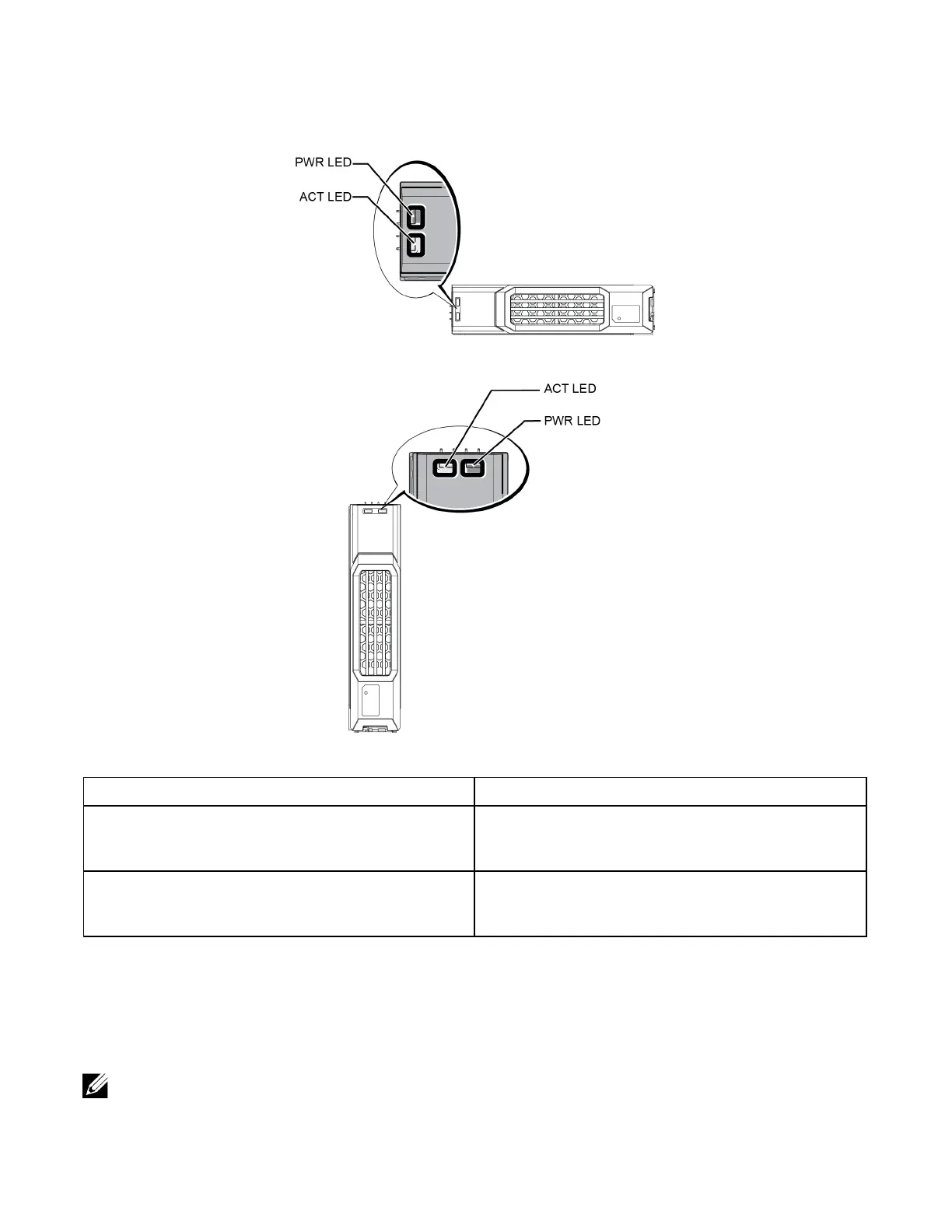
Figure 6: LEDs on 3.5-inch Drives
Figure 7: LEDs on 2.5-inch Drives
Table 4: Drive LED States
Description Indicator States
Drive activity indicator (ACT LED)
Blinking green: Drive is busy
Steady green: No drive activity
Off: Drive is a spare, and spun down
Drive status indicator (PWR LED)
Green: Drive OK
Amber: Drive failed
Off: No power to drive
Array Behavior When a Drive Fails
In firmware version 5.2.5 and later, Dell implemented a copy-to-spare operation to replace failing drives. This
operation can, in many cases, improve the performance of the drive replacement process by avoiding a full
RAID rebuild and as a result can provide better reliability.
If a drive fails, replace it. Do not reinstall it in the array.
8


 To Next Page