PS4210 Hardware Owner's Manual
4 Maintaining Power Supply and Cooling Modules
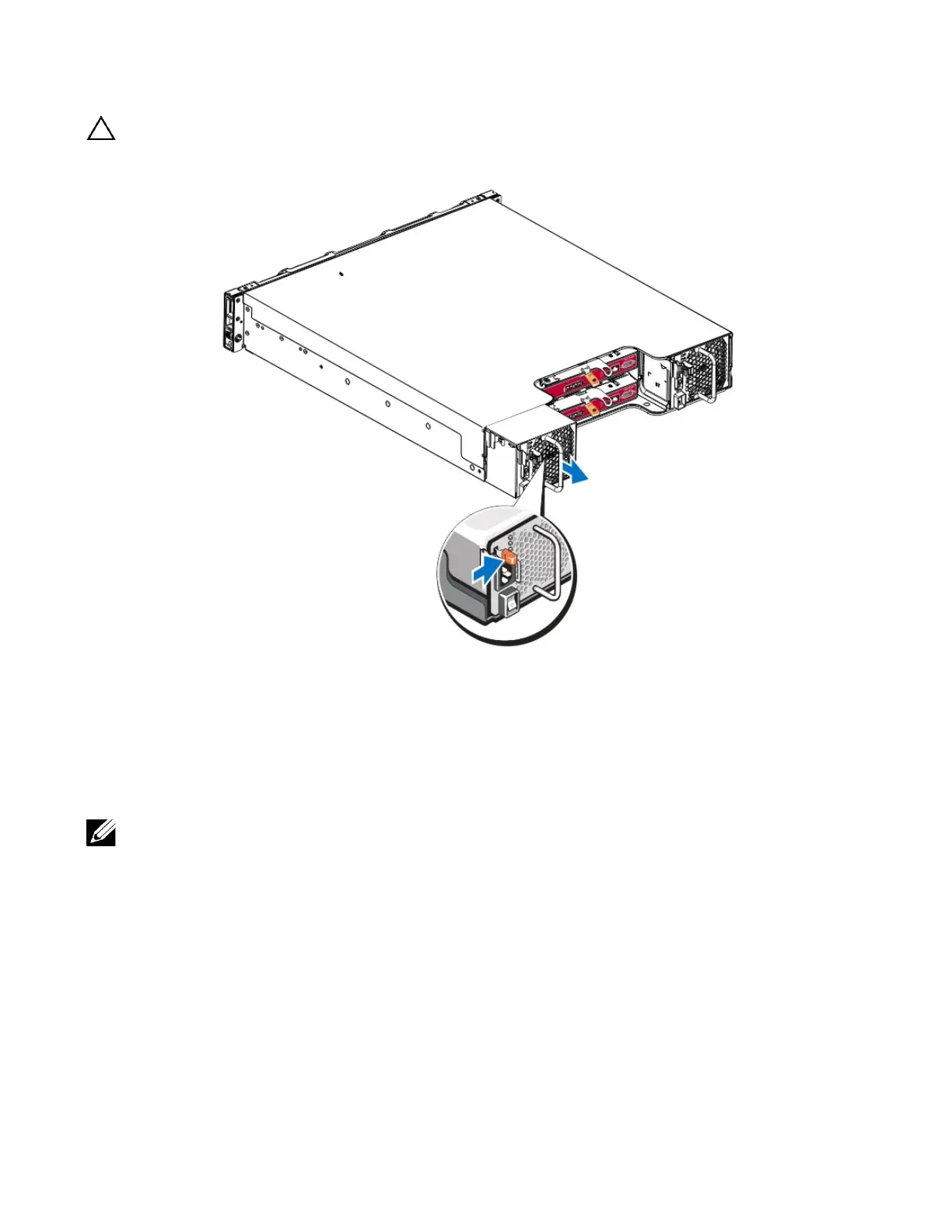
The module is heavy. Support it with two hands.
Figure 27: Removing a Power Supply and Cooling Module
Installing a Power Supply and Cooling Module
To install a power supply and cooling module:
1. Hold the power supply module so that the orange release latch is on the upper left.
2. Slide the power supply and cooling module into the chassis until it is fully seated and the release latch clicks
into place, as illustrated in Figure 28 .
Before the power cable is connected, the fans start spinning, powered by the other power supply module.
33


 To Next Page