1 Basic Storage Array Information
This chapter includes information about the location and basic operation of the replaceable
components in a storage array, tools and equipment you will need, protecting hardware from
electrostatic discharge, and power on and off operations.
About the PS6210 Array
The PS6210 is a PS6x10 10GbE class EqualLogic® PS Series array that continues the focus by
Dell™ on industry-standard features and capabilities for the midrange iSCSI SAN market.
PS6210 Features
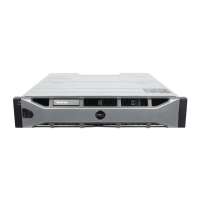
The PS6210 array is available in two different form factors, a 2U chassis with 24 2.5-inch drives, and
a 4U chassis with 24 3.5-inch drives.
Features of the PS6210 array include:
• Two hot-swappable Type 15 control modules, which contain increased memory (16GB per
controller) and a more powerful processor than previous generation controllers
• Ethernet ports:
– Two pairs of 10Gb/s dual-media interfaces (10GBASE-T/SFP+)
– Ability to auto-negotiate down to 1Gb/s interface (10GBASE-T ports only)
• Support for ReadyRails™ II
Recommended Tools
You will need the following items to perform the procedures in this section:
• Bezel key
• Wrist grounding strap
Protecting Hardware
Protect your PS Series array from electrostatic discharge. When handling array hardware, use an
electrostatic wrist strap or a similar form of protection. To use a wrist strap:
1. Connect the steel snap on the coil cord to the stud on the elastic band. See Figure 1.
1


 To Next Page