414
Using the Server Address Book and Server Phone Book
Sending an E-mail With the Scanned File Using the E-mail Server Address
Book
1
Press the (
Home
) button.
2
Ta p
Scan to Email
.
3
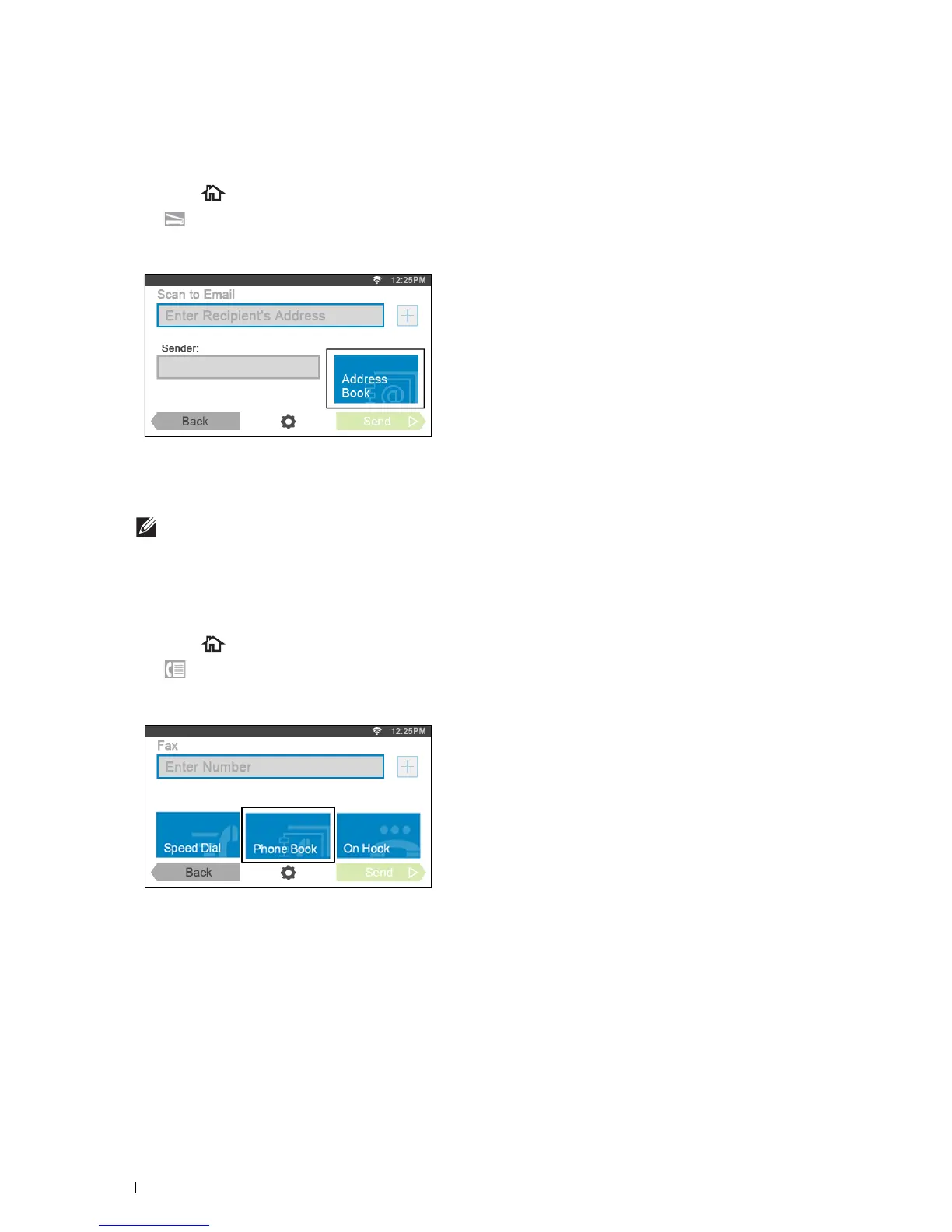
Ta p
Address Book
.
4
Ta p
Network Address Book
.
5
Enter a keyword using the keyboard, and then tap
Search
.
6
Tap a recipient from the search result, and then tap
Done
.
NOTE:
The sender's e-mail address cannot be edited when the remote authentication is used as the user authentication
method on the Dell Smart Multifunction Printer | S2815dn.
7
Ta p
Send
to begin scanning the document and sending an e-mail with the scanned file.
Sending a Fax Using the Fax Server Phone Book
1
Press the (
Home
) button.
2
Ta p
Fax
.
3
Ta p
Phone Book
.
4
Ta p
Network Address Book
.
5
Enter a keyword using the keyboard, and then tap
Search
.
6
Tap a recipient from the search result, and then tap
Done
.
7
Ta p
Send
to send the fax.



 To Next Page