Using Your Dell DJ 39
www.dell.com | support.dell.com
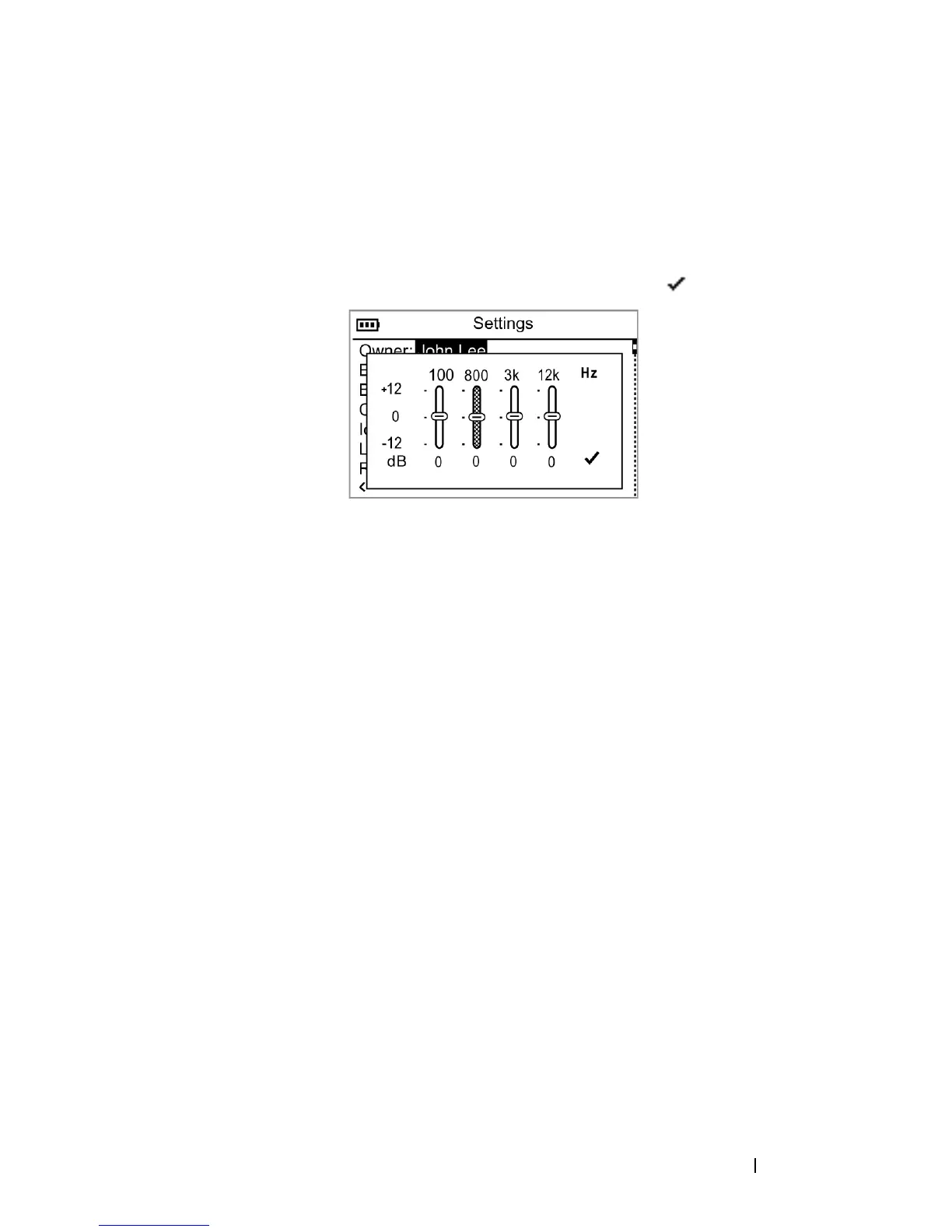
To create a custom EQ setting:
1
Scroll-select
Custom EQ
. The equalizer control box appears.
2
Scroll-select a frequency slider and rotate the scroll dial to adjust sound
output.
3
To save your EQ setting, scroll-select the check mark icon.
To set the backlight duration:
1
Press the Home button.
2
Scroll-select
Settings & Info
.
3
Scroll-select
Settings
.
4
Scroll-select the current backlight time. A list of available durations
appears.
5
Scroll-select a duration.
To set the contrast level:
1
Press the Home button.
2
Scroll-select
Settings & Info
.
3
Scroll-select
Settings
.
4
Scroll-select the current contrast level. A list of available levels appears.
5
Scroll-select a level.
To set the idle shutdown time:
1
Press the Home button.
2
Scroll-select
Settings & Info
.
3
Scroll-select
Settings
.


 To Next Page