EasyManua.ls Logo

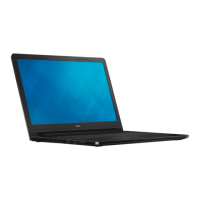
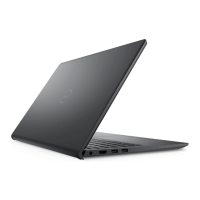
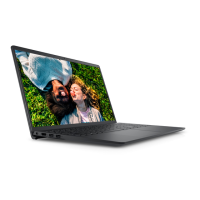
Dell Inspiron 15 3520 - User Manual

Dell Inspiron 15 3520
111 pages
Print Icon
To Next Page IconTo Next Page
Loading...
Inspiron 15 3520
Service Manual
Regulatory Model: P112F
Regulatory Type: P112F001/P112F002/P112F007/P112F008
March 2022
Rev. A00

Table of Contents

Other manuals for Dell Inspiron 15 3520

Questions and Answers

  • J
    Jerry McculloughAug 16, 2025
    What to do if my Dell Inspiron 15 3520 doesn't detect memory/RAM?
    • S
      Stephanie SweeneyAug 16, 2025
      If your Dell Laptop is not detecting memory or RAM, first, make sure that the memory module is properly installed. If the problem continues, you might need to replace the memory module.
  • J
    Joseph JohnsonAug 19, 2025
    How to fix a Memory/RAM failure on a Dell Inspiron 15 3520 Laptop?
    • E
      Emily JenkinsSep 12, 2025
      To address a memory or RAM failure in your Dell Laptop, try resetting and swapping the memory modules among the slots. If the problem persists, consider replacing the memory module.
  • J
    Juan ParkerAug 22, 2025
    What to do if my Dell Inspiron 15 3520 CPU fails?
    • B
      barreraryanAug 22, 2025
      If your Dell Laptop's CPU fails, run the Dell Support Assist or Dell Diagnostics tool. If the problem continues, the system board may need to be replaced.
  • A
    Angel FisherAug 26, 2025
    What to do if my Dell Inspiron 15 3520 has a system board failure?
    • A
      Angela PetersonAug 26, 2025
      If your Dell Laptop experiences a system board failure, which includes BIOS corruption or ROM errors, try flashing the latest BIOS version. If the issue persists, consider replacing the system board.
  • D
    Daniel LeeAug 28, 2025
    What to do if my Dell Inspiron 15 3520 has flash corruption detected by SBIOS?
    • P
      peterharperAug 28, 2025
      If your Dell Laptop detects flash corruption via SBIOS, try the following: * Press and hold the power button for over 25 seconds to perform an RTC reset. * Disconnect all power sources (AC, battery, coin cell) and drain flea power by pressing and holding the power button for 3-5 seconds. * Run 'BIOS recovery from USB'. If the issue persists after these steps, replacing the system board might be necessary.
  • A
    Amy PhillipsAug 31, 2025
    What to do if my Dell Laptop has a BIOS Recovery image not found error?
    • J
      Jose MooreAug 31, 2025
      If your Dell Laptop displays a 'BIOS Recovery image not found' error, try flashing the latest BIOS version. If the problem persists, the system board might need to be replaced.
  • C
    Christina AndersonSep 3, 2025
    What to do if my Dell Laptop has a BIOS Recovery image found but invalid error?
    • M
      morrisoncarrieSep 3, 2025
      If your Dell Laptop indicates that the 'BIOS Recovery image' was found but is invalid, try flashing the latest BIOS version. If the issue continues, consider replacing the system board.
  • F
    fpittmanSep 6, 2025
    What to do if my Dell Laptop has a PCI or Video card/chip failure?
    • M
      msmithSep 6, 2025
      If your Dell Laptop experiences a PCI or video card/chip failure, the recommended solution is to replace the system board.
  • J
    James DuncanSep 9, 2025
    What to do if my Dell Inspiron 15 3520 Laptop LCD fails (SBIOS message)?
    • E
      Erica MorrisonSep 9, 2025
      If your Dell Laptop's LCD fails and displays an SBIOS message, replace the LCD module.
  • M
    Meredith HoffmanSep 12, 2025
    What to do if my Dell Inspiron 15 3520 Laptop LCD fails due to EC detection of power rail failure?
    • K
      kathleen44Sep 12, 2025
      If your Dell Laptop's LCD fails because the EC detects a power rail failure, replace the system board.

Dell Inspiron 15 3520 Specifications

General IconGeneral
Operating SystemWindows 11 Home
Wireless802.11ac 1x1 WiFi and Bluetooth
Processor12th Gen Intel Core i5-1235U
Display15.6-inch FHD (1920 x 1080) Anti-glare LED Backlight
RAM8GB, 1x8GB, DDR4
Storage256GB M.2 PCIe NVMe Solid State Drive
GraphicsIntel UHD Graphics
Battery3-cell, 41Whr
Weight1.65 kg (3.64 lb)
Ports2 x USB 3.2 Gen 1, 1 x USB 2.0, 1 x HDMI 1.4, 1 x SD card reader, 1 x Audio Jack
Camera720p at 30 fps HD camera
AudioStereo speakers
Dimensions358.50 x 235.56 mm

Related product manuals