
 Need help?
Do you have a question about the Dell Inspiron 27-7790 and is the answer not in the manual?
Instructions for setting up the keyboard and mouse.
Guide to connecting the computer's power cable.
How to use the power button for startup, sleep, and shutdown.
Steps to finish the Windows operating system setup process.
Information on accessing and using pre-installed Dell applications like My Dell and Dell Update.
Identifies and describes components on the front of the Inspiron 27-7790, including camera and speakers.
Details the right speaker for audio output.
Explains the retractable camera features, infrared emitters, and status light.
Overview of the back panel, detailing various connectivity ports like USB, HDMI, and network.
Details components on the bottom, including the power button, self-test button, and service tag.
Illustrates the tilt adjustment range for the bipod stand.
Illustrates the tilt adjustment range for the arch stand.
Illustrates the tilt adjustment range for the A-frame stand.
Provides dimensions and weight for Bipod, Arch, and A-Frame stands.
Details overall computer dimensions and weight for touchscreen and non-touchscreen models.
Details processor models, wattage, core count, speed, and integrated graphics.
Lists chipset details including processor, DRAM bus width, and PCIe bus.
Lists the operating systems supported by the Inspiron 27-7790.
Details memory slots, type, speed, maximum capacity, and supported configurations.
Lists and describes external and internal ports and connectors on the computer.
Details Ethernet and wireless module specifications, including transfer rates and standards.
Provides details on the audio controller, speakers, and microphone.
Outlines supported storage drive types and interface specifications.
Specifies the type of media card reader and supported card formats.
Details camera resolution, sensor type, and viewing angles for the front camera.
Provides display type, panel technology, resolution, brightness, and refresh rate.
Details power adapter specifications like type, voltage, current, and temperature ranges.
Lists specifications for discrete and integrated graphics controllers and video outputs.
Details operating and storage environmental conditions like temperature, humidity, vibration, and altitude.
Lists resources for product information, support, and troubleshooting.
Provides information on how to contact Dell for sales, technical support, and customer service.
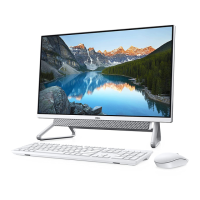
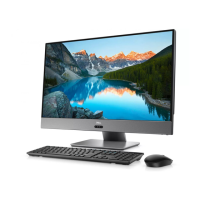
The Dell Inspiron 27-7790 is an all-in-one desktop computer designed for a variety of uses, from everyday tasks to more demanding applications. This device integrates the computer components and display into a single unit, offering a streamlined and space-saving solution for your home or office.
The Inspiron 27-7790 serves as a complete computing solution, providing a large display for immersive viewing, powerful processing capabilities, and a range of connectivity options for peripherals and external devices. It is designed to handle tasks such as web browsing, document creation, multimedia consumption, video conferencing, and light gaming. The integrated design simplifies setup and reduces cable clutter, making it an ideal choice for users seeking a clean and organized workspace.
The Inspiron 27-7790 offers several features that enhance its usability and versatility:
Retractable Camera Assembly: A key feature for privacy and security, the camera assembly can be manually extended for use during video chats, photo capture, or video recording, and then retracted when not in use. This physical mechanism ensures that the camera is only active when desired, providing peace of mind. The camera assembly includes a standard camera for video and photo capture, and depending on the configuration, may also feature an infrared camera for enhanced security through Windows Hello face authentication. Infrared emitters are integrated to assist the infrared camera in sensing and tracking motion. A camera-status light indicates when the camera is active.
Audio Capabilities: The device is equipped with dual left and right speakers for audio output, providing a complete multimedia experience. For audio input, it includes two digital-array microphones, which are suitable for voice calls, audio recording, and voice commands. An audio-out port is also available for connecting external audio devices such as speakers or amplifiers, offering flexibility for different audio setups.
Display Features: The Inspiron 27-7790 features a Full High Definition (FHD) display with Wide Viewing Angle (WVA) technology, ensuring clear and vibrant visuals from various perspectives. The display also offers anti-glare properties, reducing reflections and improving viewing comfort, especially in brightly lit environments. Touchscreen options are available, providing an interactive and intuitive user experience for navigating Windows and applications. The display's tilt functionality allows users to adjust the screen angle for optimal viewing comfort, with different stand types (Bipod, Arch, A-Frame) offering varying aesthetic and stability characteristics.
Connectivity Options: The back panel of the Inspiron 27-7790 is rich with ports for connecting a wide array of devices.
Power Management: The power button serves multiple functions: turning the computer on, putting it into sleep mode, or forcing a shutdown with a prolonged press. Its behavior can be customized within Windows settings.
Display Built-in Self Test/Input-Source Selection Button: This versatile button allows users to switch between the internal system display and HDMI input when the computer is on. When the computer is off, it can be used to initiate a built-in self-test for the display, which helps in diagnosing display issues by showing a series of color patterns.
Operating System: The Inspiron 27-7790 supports Windows 10 Home (64-bit) and Windows 10 Professional (64-bit), offering a familiar and feature-rich environment for users.
While the Inspiron 27-7790 is designed for ease of use, Dell provides several resources and tools to assist with maintenance and support:
Dell Apps: Pre-installed Dell applications like "My Dell" and "Dell Update" help users manage their computer. "My Dell" centralizes access to key Dell applications, help articles, and warranty information, and notifies users about recommended accessories and software updates. "Dell Update" ensures the computer stays current with critical fixes and the latest device drivers. "Dell Digital Delivery" allows users to download software applications purchased but not preinstalled.
SupportAssist: This application proactively and predictively identifies hardware and software issues, automates engagement with Dell Technical Support, and helps address performance, stabilization, security threats, and hardware failures. It also provides information about warranty status, with an option to renew or upgrade.
Online Support and Documentation: Dell Technologies offers extensive online resources, including the Dell Support Site and Windows Support Site. Users can access top solutions, diagnostics, drivers, downloads, videos, manuals, and documents specific to their computer. The Dell Technologies knowledge base provides articles on various topics, accessible by keyword, topic, or model number.
Service Tag: Each Dell computer has a unique Service Tag and Express Service Code. These identifiers are crucial for accessing relevant support resources and for Dell service technicians to identify hardware components and warranty information. Users can find instructions on how to locate their Service Tag or Serial Number on the Dell Support Site.
Contacting Dell Technologies: For sales, technical support, or customer service issues, users can contact Dell Technologies through the Contact Support portal on the Dell Support Site. Availability of services may vary by region and product. For users without an active internet connection, contact information can often be found on purchase invoices, packing slips, bills, or Dell Technologies product catalogs.
The Inspiron 27-7790 is designed to be a reliable and user-friendly all-in-one computer, with features that cater to both performance and convenience, supported by comprehensive maintenance and support resources.
 General
| Display Size | 27 inches |
|---|---|
| Operating System | Windows 10 Home |
| Bluetooth | Bluetooth 4.2 |
| Processor | Up to Intel Core i7 |
| CPU | Intel Core i7-10510U |
| RAM | 16GB DDR4 |
| Storage | 512GB SSD |
| Graphics | Intel UHD Graphics |
| Display | Full HD (1920 x 1080) Touchscreen |
| Audio | Stereo speakers with Waves MaxxAudio Pro |
| Wireless | 802.11ac |
| Ports | HDMI |
| Webcam | 720p HD |
| Dimensions | 24.1 x 17.3 x 6.4 inches |



 To Next Page