32 Palm-Rest Assembly
6
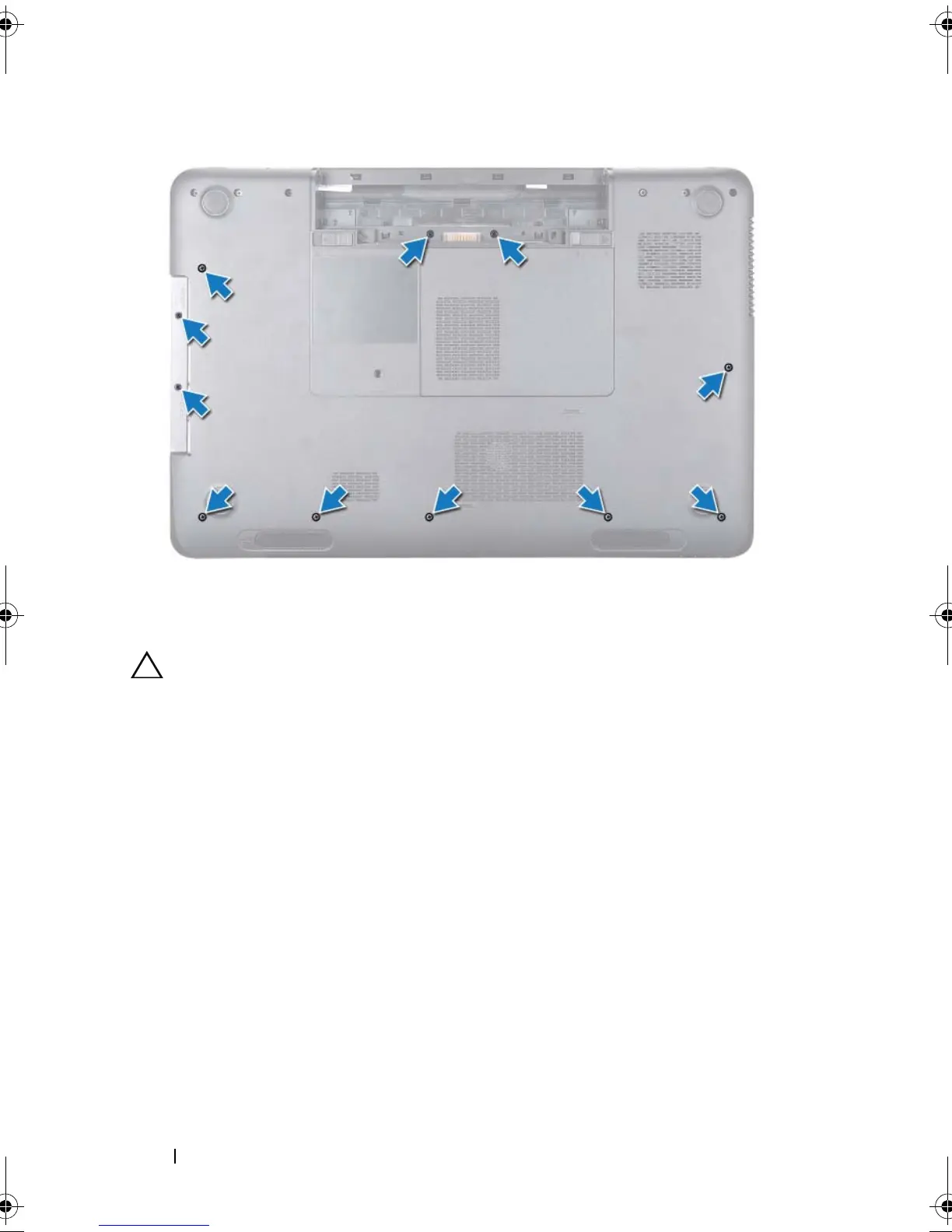
Remove the four screws on the palm-rest assembly.
CAUTION: Pull the plastic tab on top of the connectors to avoid damaging the
connectors.
7
Disconnect the power-button board cable, touch-pad cable, and hot-key
board cable from the connectors on the system board.
book.book Page 32 Friday, April 13, 2012 2:02 PM








 To Next Page