58 Status Light Board
Replacing the Status Light Board
1
Follow the instructions in "Before You Begin" on page 9.
2
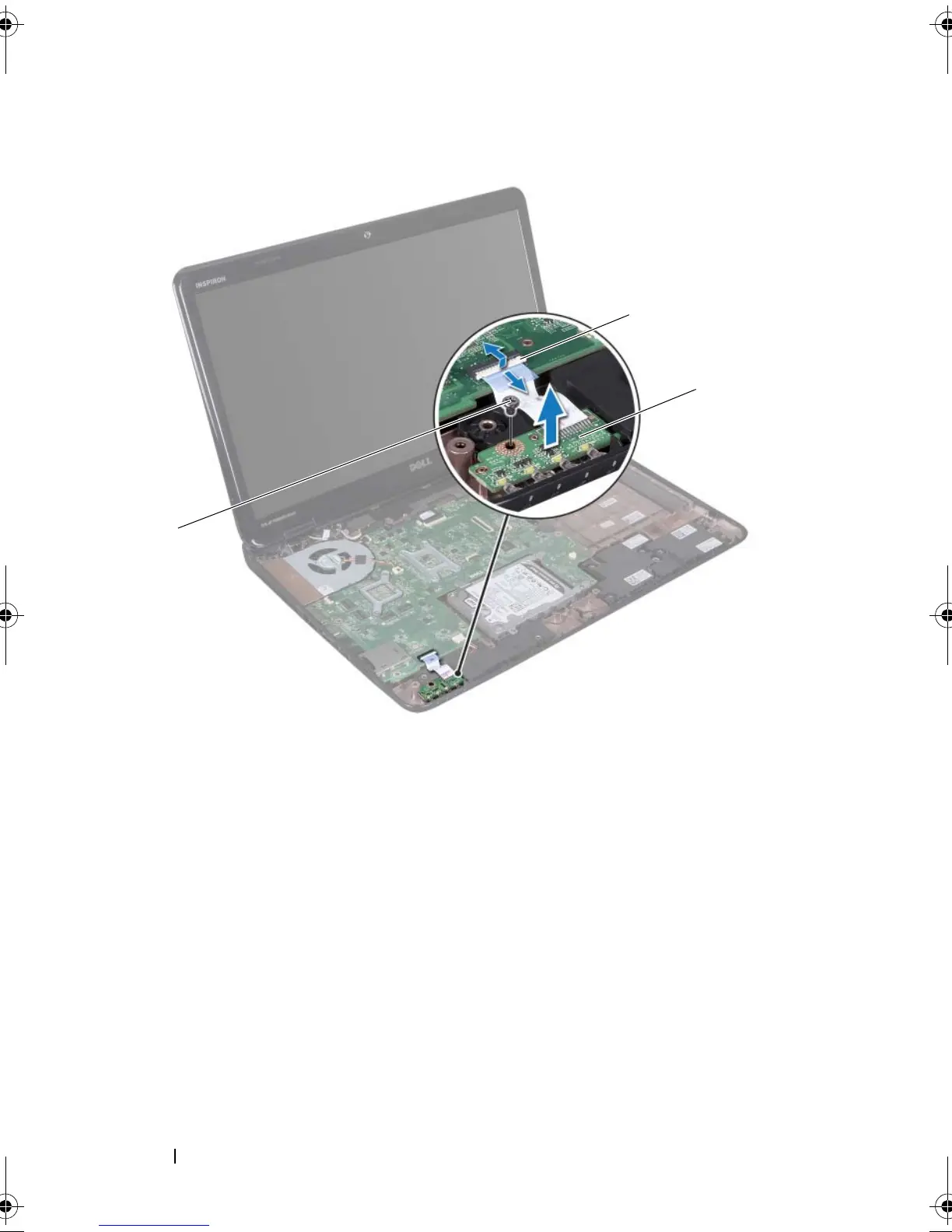
Place the status-light board on the computer base.
3
Slide the status-light-board cable into the connector on the system board
and press down on the connector latch to secure the status-light-board
cable to the connector on the system board.
4
Replace the screw that secures the status light board to the computer base.
1 screw 2 system board connector
3 status light board
book.book Page 58 Friday, April 13, 2012 2:02 PM








 To Next Page