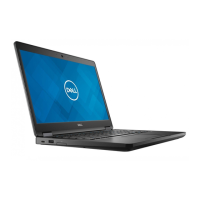
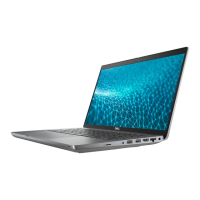
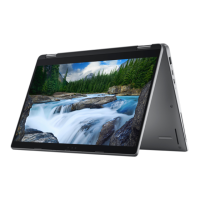
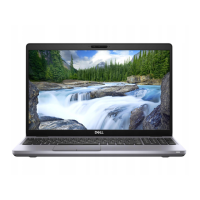
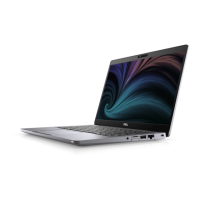
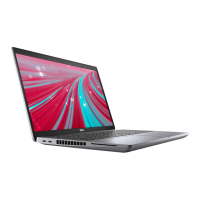
The Dell Latitude 5521 is a laptop designed for productivity and versatility, offering a range of features for both general use and specific professional needs. This device is part of Dell's Latitude series, known for its business-oriented design, robust build quality, and comprehensive security options.
Function Description
The Latitude 5521 serves as a portable computing solution, capable of handling various tasks from basic web browsing and document editing to more demanding applications, depending on its configuration. It operates on either Windows 10 Home/Pro (64-bit) or Ubuntu Linux 20.04 LTS, providing flexibility for different user preferences and enterprise environments.
At its core, the laptop is powered by 11th Generation Intel Core processors (i5 or i7), ensuring efficient performance for multitasking and demanding workloads. It supports a substantial amount of DDR4 memory, allowing for smooth operation even with multiple applications open. Storage options are diverse, including traditional hard disk drives (HDDs) and various solid-state drives (SSDs), including M.2 NVMe SSDs and Intel Optane memory for accelerated storage performance. This variety allows users to balance speed, capacity, and cost according to their requirements.
Connectivity is a key aspect of the Latitude 5521. It features a comprehensive array of external ports, including multiple USB 3.2 Gen 1 Type-A ports (one with PowerShare for charging devices even when the laptop is off), USB4 Type-C ports with DisplayPort 2.0, Power Delivery, and Thunderbolt™ 4 capabilities, an HDMI 2.0 port for external displays, an RJ-45 Ethernet port for wired network connections, and a universal audio jack. For wireless connectivity, the laptop integrates advanced Wireless Local Area Network (WLAN) modules, supporting Wi-Fi 6E (802.11ax) for high-speed internet access, along with Bluetooth for connecting peripherals. Optional WWAN modules are also available, offering LTE Category 16 connectivity for mobile broadband access, supporting various frequency bands and Global Navigation Satellite Systems (GNSS) like GPS, BDS, and GLONASS.
The display options range from High Definition (HD) to Ultra High Definition (UHD) panels, with various technologies like Twisted Nematic (TN) and Wide Viewing Angle (WVA), some featuring Super Low Power (SLP) and Low Blue Light technologies for improved user comfort and battery life. Touchscreen options are also available for enhanced interaction. Integrated and discrete GPU options (Intel UHD Graphics and NVIDIA GeForce MX450, respectively) provide capable graphics performance for both everyday tasks and more graphically intensive applications.
Security is paramount in the Latitude series. The 5521 includes a Trusted Platform Module (TPM) 2.0 for hardware-based security, an optional fingerprint reader for biometric authentication, and a wedge-shaped lock slot for physical security. It also supports various smartcard reader options—both contacted and contactless (NFC)—which are crucial for enterprise-level authentication and data protection. Dell's ControlVault 3 Smartcard reader, along with support for a wide range of smartcard standards (ISO 7816, ISO 14443 Type A/B, Felica, etc.), ensures compatibility with existing security infrastructures. The device also integrates Dell Client Command Suite and optional Dell Data Security and Management Software, including solutions for endpoint security, encryption, and supply chain defense, providing a holistic security framework.
Usage Features
The Latitude 5521 is designed for a comfortable and efficient user experience. Its keyboard offers a QWERTY layout with options for standard or RGB backlit keys, facilitating typing in various lighting conditions. The keyboard also features dedicated function keys (F1-F12) that double as multimedia controls, allowing quick access to audio, display, and other system settings. Users can toggle between primary function key behavior and multimedia control using the Fn + Esc shortcut, and further customize this behavior in the BIOS setup program. Additional Fn key combinations provide shortcuts for actions like Pause/Break, Toggle Scroll Lock, System Request, Open Application Menu, and Toggle Fn-key lock.
The Clickpad provides precise navigation and supports various gestures for intuitive interaction with the operating system. An optional camera, available in different resolutions and types (RGB HD, HD RGB + Ir, FHD RGB + Ir with proximity sensor/express sign-in), enhances video conferencing capabilities and supports Windows Hello for secure facial recognition login. Microphones are integrated for clear audio input during calls or recordings.
The laptop's battery is designed for extended use, with options for 4-cell (64 WHr) or 6-cell (97 WHr) ExpressCharge capable batteries, offering different levels of endurance and fast charging. The Dell Power Manager application allows users to control charging time, duration, and other battery-related settings to optimize battery health and performance. The device supports various power adapters, including 90 W and 130 W USB-C options, providing flexibility for charging.
The overall design considers user comfort and environmental factors. The computer is built to operate within a specified temperature range and relative humidity, with resistance to shock and vibration, making it suitable for mobile professionals. The inclusion of a microSD card reader allows for easy transfer of data from cameras and other devices.
Maintenance Features
While the manual primarily focuses on setup and specifications, it implicitly highlights several features that contribute to the maintainability and longevity of the device. The modular design, indicated by the presence of internal slots for M.2 drives and wireless modules, suggests that components can be upgraded or replaced, extending the lifespan of the laptop. The availability of different storage and memory configurations at the time of purchase also allows for future-proofing to some extent.
Dell provides comprehensive support resources, including online knowledge base articles (e.g., for Ubuntu setup, Dell Update, Dell Digital Delivery, M.2 card features, IMEI number) and the SupportAssist application. SupportAssist is a smart technology that proactively checks the system's hardware and software health, detects issues, removes viruses, and notifies users about necessary system updates. This proactive monitoring and diagnostic capability helps in identifying and resolving potential problems before they escalate, reducing downtime and simplifying maintenance. The ability to renew or upgrade warranty through SupportAssist further emphasizes Dell's commitment to long-term support.
The regulatory model and type information provided on the cover page are essential for compliance and service purposes, allowing technicians to quickly identify the specific model for accurate troubleshooting and parts ordering. The computer environment specifications, including temperature, humidity, shock, and altitude limits, guide users on proper operating and storage conditions to prevent damage and ensure reliable performance over time. Adhering to these guidelines is a crucial aspect of device maintenance.


 To Next Page
 General