Dell Latitude Ultrabook, E-Family & Mobile Precision Reimage “How-To” Guide
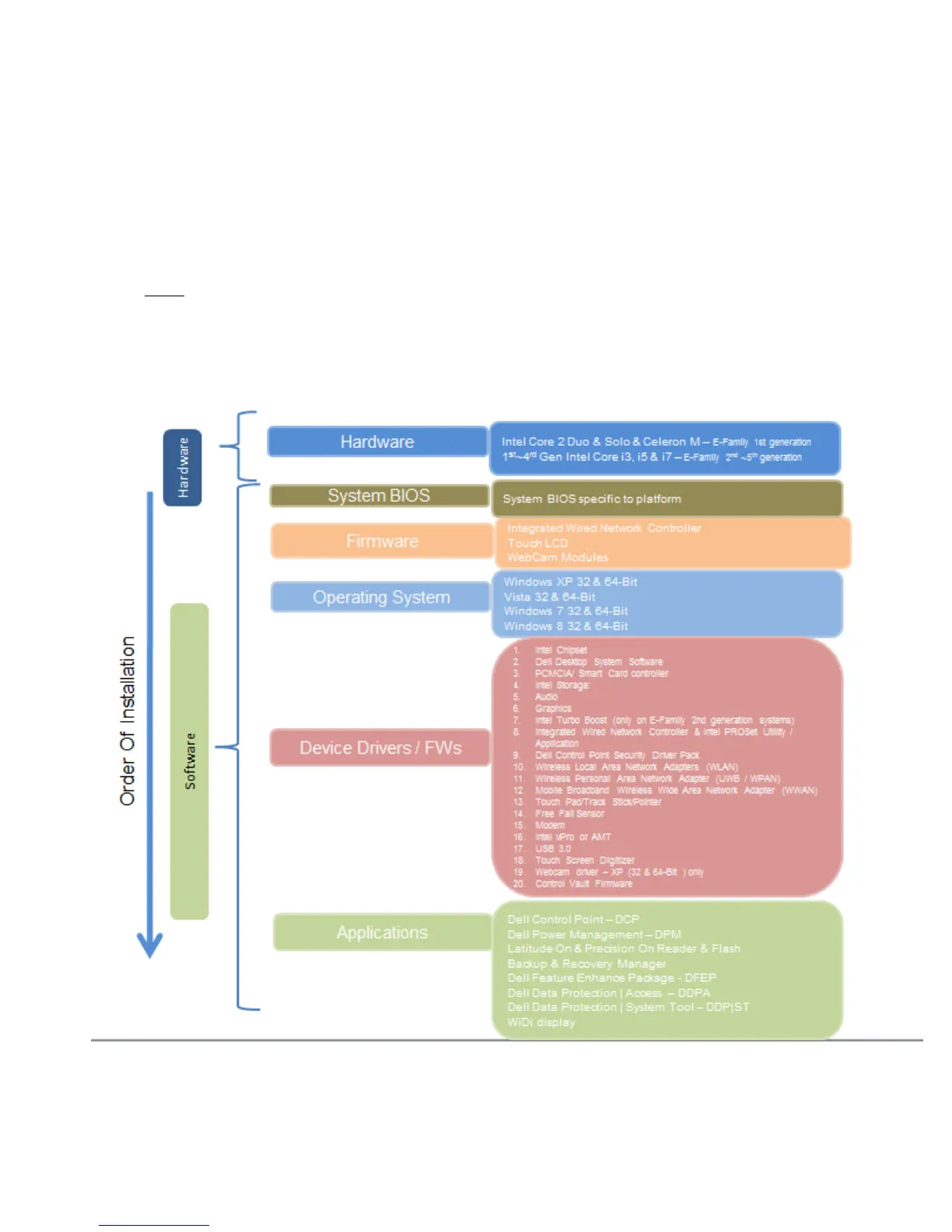
2.4 Installation Sequence
The list below is a general overview of drivers and applications that must be installed on Dell
Latitude E-Family & Mobile Precision systems in a prescribed order to ensure optimal performance.
Actual system configurations may vary.
Note: Dell Alienware, Inspiron, Studio, XPS and Vostro Laptops may have different installation
sequence. Please refer to Dell Support Website for these Laptops.
2.4.1 Installation Sequence Overview















 To Next Page