About warnings
WARNING: A WARNING indicates a potential for property damage, personal injury, or death.
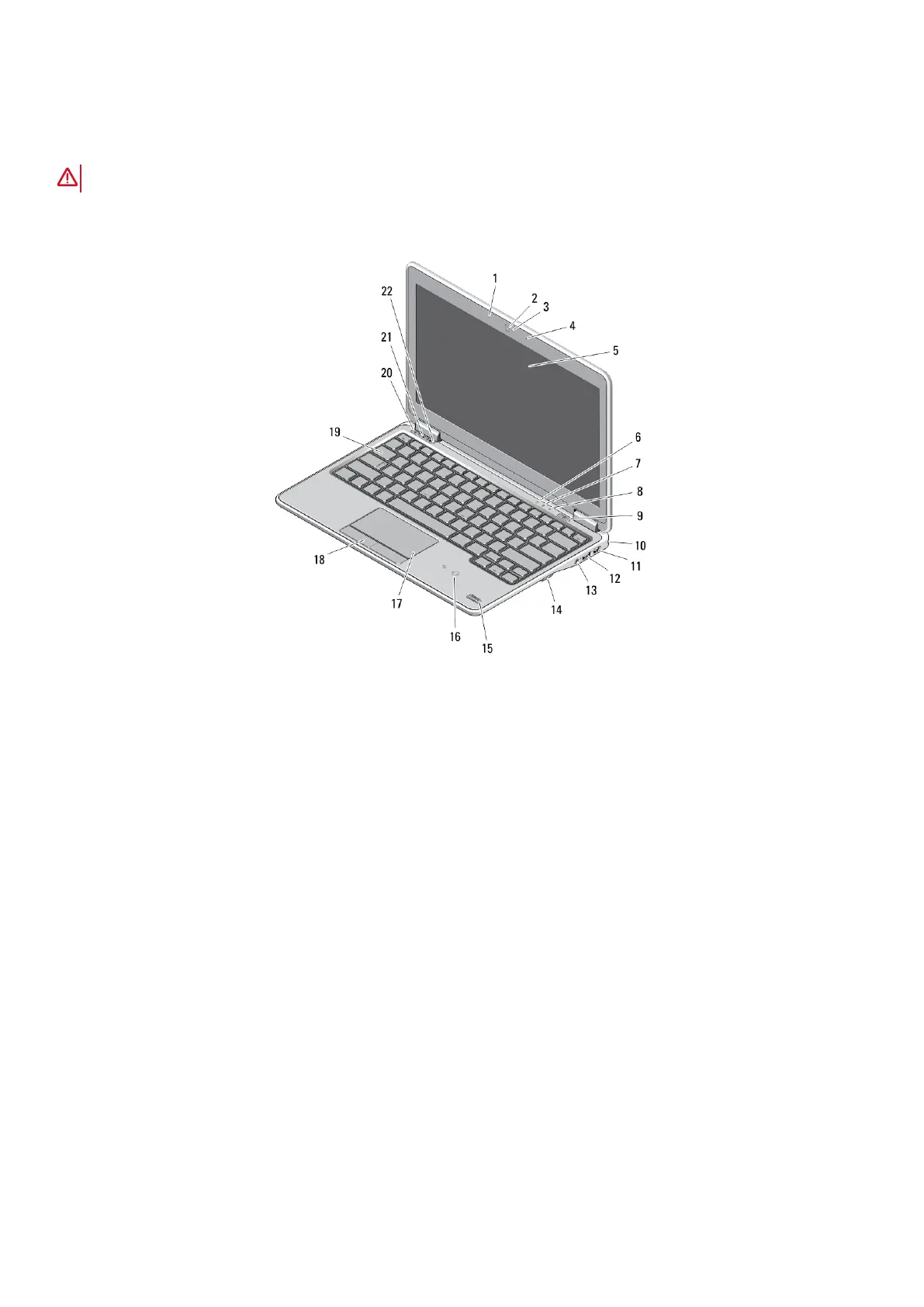
Latitude E7240 — Front and Back View
Figure 1. Front View
1.
microphone 2. camera
3. camera status light 4. microphone
5. display 6. hard-drive status light
7. battery status light 8. wireless status light
9. power button 10. security lock slot
11. mini Display Port connector 12. USB 3.0 connector
13. audio and microphone connector 14. SD card reader
15. fingerprint reader 16. contactless smart-card reader
17. touchpad 18. touchpad buttons (2)
19. keyboard 20. mute button
21. volume down button 22. volume up button
2 About warnings














 To Next Page