support.dell.com Dell Latitude LS Family Advanced Port Replicator User’s Guide 1-3
!"#$%
If your APR or computer gets wet or is damaged, follow the procedures
described in “Troubleshooting Your Computer,” in the User’s Guide. If, after fol-
lowing these procedures, you confirm that your APR or computer is not operating
properly, contact Dell. (See “Getting Help,” in the User’s Guide for the appropri-
ate telephone number.)
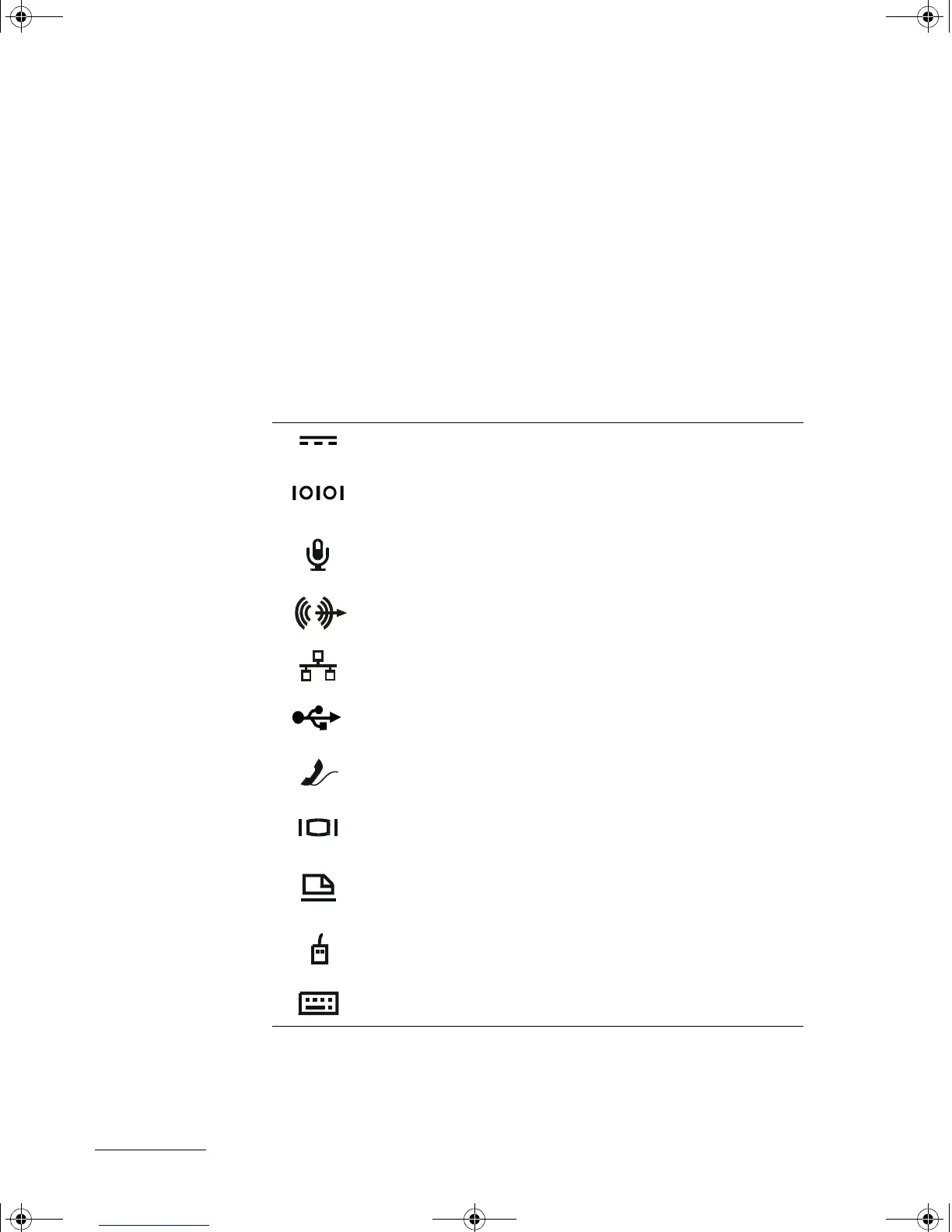
The input/output (I/O) connectors on the back of the APR duplicate the primary con-
nectors on the back and side of your computer. Table 1-1 shows the icons for each of
the connectors on the back of the APR and indicates the type of external device(s)
that can be attached to each connector.
The AC adapter that came with the APR connects to the
AC adapter connector.
A serial device, such as a serial mouse, connects to the
serial connector.
A microphone connects to the microphone connector.
A speaker or headphones connects to the line-out
connector.
A network interface cable connects to the NIC connector.
A USB device, such as a USB mouse, connects to the
USB connector.
An external modem connects to the modem connector.
An external monitor connects to the monitor connector.
A parallel device, such as a printer, connects to the parallel
connector.
An external Personal System/2 (PS/2)-compatible mouse
connects to the PS/2 mouse connector.
An external PS/2-compatible keyboard or external numeric
keypad connects to the PS/2 keyboard connector.
7538u1.book Page 3 Thursday, June 29, 2000 4:00 PM











 To Next Page