EasyManua.ls Logo

Dell Latitude 7480 - User Manual

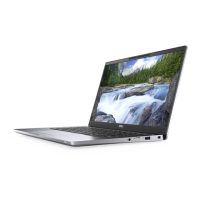
Dell Latitude 7480
84 pages
Print Icon
To Next Page IconTo Next Page
Loading...
Dell Latitude 7480
Owner's Manual
Regulatory Model: P73G
Regulatory Type: P73G001
October 2020
Rev. A04

Table of Contents

Other manuals for Dell Latitude 7480

Questions and Answers

  • A
    allison94Aug 3, 2025
    What to do if I see swollen Lithium-ion batteries in my Dell Latitude 7480?
    • L
      Lynn GreenAug 3, 2025
      If you notice swollen Lithium-ion batteries in your Dell Laptop: * Discontinue using the laptop. * Discharge it by disconnecting the AC adapter. * Let the battery drain. You should also replace and properly dispose of the swollen battery. You can contact Dell product support for options to replace it under warranty or service contract terms.
  • J
    Jordan MercerAug 13, 2025
    What to do if diagnostic test fails during SupportAssist Pre-boot System Performance Check diagnostics on Dell Latitude 7480?
    • F
      fgutierrezAug 13, 2025
      If a diagnostic test fails during the SupportAssist Pre-boot System Performance Check on your Dell Laptop, note the error code and validation number and contact Dell.
  • S
    seangreenOct 24, 2025
    Why does the power and battery-status light blink amber with beep codes on my Dell Laptop?
    • S
      sean32Oct 24, 2025
      The power and battery-status light on your Dell Laptop may blink amber with beep codes due to several reasons: * TPM detection failure. * Unrecoverable SPI flash failure. * EC unable to program i-Fuse. * Generic catch-all for ungraceful EC code flow errors. * CPU failure. * System Board failure (included BIOS corruption or ROM error). * No Memory / RAM detected. * Memory / RAM failure. * Invalid memory installed. * System board / Chipset Error. * LCD failure (SBIOS message). * LCD failure (EC detection of power rail failure). * CMOS battery failure. Depending on the cause, solutions include replacing the system board, LCD module, RTC battery, or memory module; running Intel CPU diagnostics; flashing the latest BIOS version; disconnecting all power sources and dr...

Summary

Working on your computer

Turning off your computer

Instructions for shutting down the computer in various Windows versions.

Before working inside your computer

Essential steps and precautions before performing internal computer maintenance.

Safety instructions

Guidelines to protect yourself and the computer from damage and injury during maintenance.

After working inside your computer

Steps to follow after completing internal computer maintenance procedures.

Disassembly and reassembly

System Setup

Troubleshooting

ePSA Diagnostics

Guide to using the embedded ePSA diagnostics for hardware checks.

Running ePSA Diagnostics

Step-by-step instructions on how to initiate and run ePSA diagnostic tests.

Dell Latitude 7480 Specifications

General IconGeneral
Colorgray
Date of Release2021
Optical Drivenone
OSwindows 10 pro
Numeric Keypadno
Touch Screenno
Screen Size14 inches
Screen Resolution1920 x 1080 (full hd)
Processor Brandintel
Processor Modelintel 6th generation core i5
Processor Model Number6300u
CPU Base Clock Frequency2.4 gigahertz
CPU Cores2-core (dual-core)
CPU Cooling Systemair
Storage Typessd
Storage Capacity512 gigabytes
SSD Capacity512 gigabytes
SSD Interfacesata
Type of Memoryddr4
System Memory16 gigabytes
System Memory Speed2133 megahertz
Number Of Memory Slots2
System Memory Expansion32 gigabytes
GPUintel hd graphics 620
GPU Brandintel
Graphics Typeintegrated
Front Facing Camerayes
Front Facing Camera Resolution0.92 megapixels
Front Facing Camera Video Resolution720p
Audio Typefour-channel high-definition audio
Speakers Typestereo speakers
Built In Microphoneyes
Backlit Keyboardyes
Securitycable lock slot, smartcard reader
Wireless Connectivitybluetooth, wi-fi
HDMI Outputs1
USB Ports3 x usb-a 3.0, 1 x usb-c 3.0
Number of USB Ports4
Ethernet Ports1
Wireless Networking Standardno wi-fi standard
Headphones Outputyes
Battery Typelithium-ion
Weight and Dimensions IconWeight and Dimensions
Depth8.7 inches
Height0.7 inches
Width13 inches
Net Weight3 pounds

Related product manuals