1-6 Dell Latitude LS Family Advanced Port Replicator User’s Guide
!"#$%
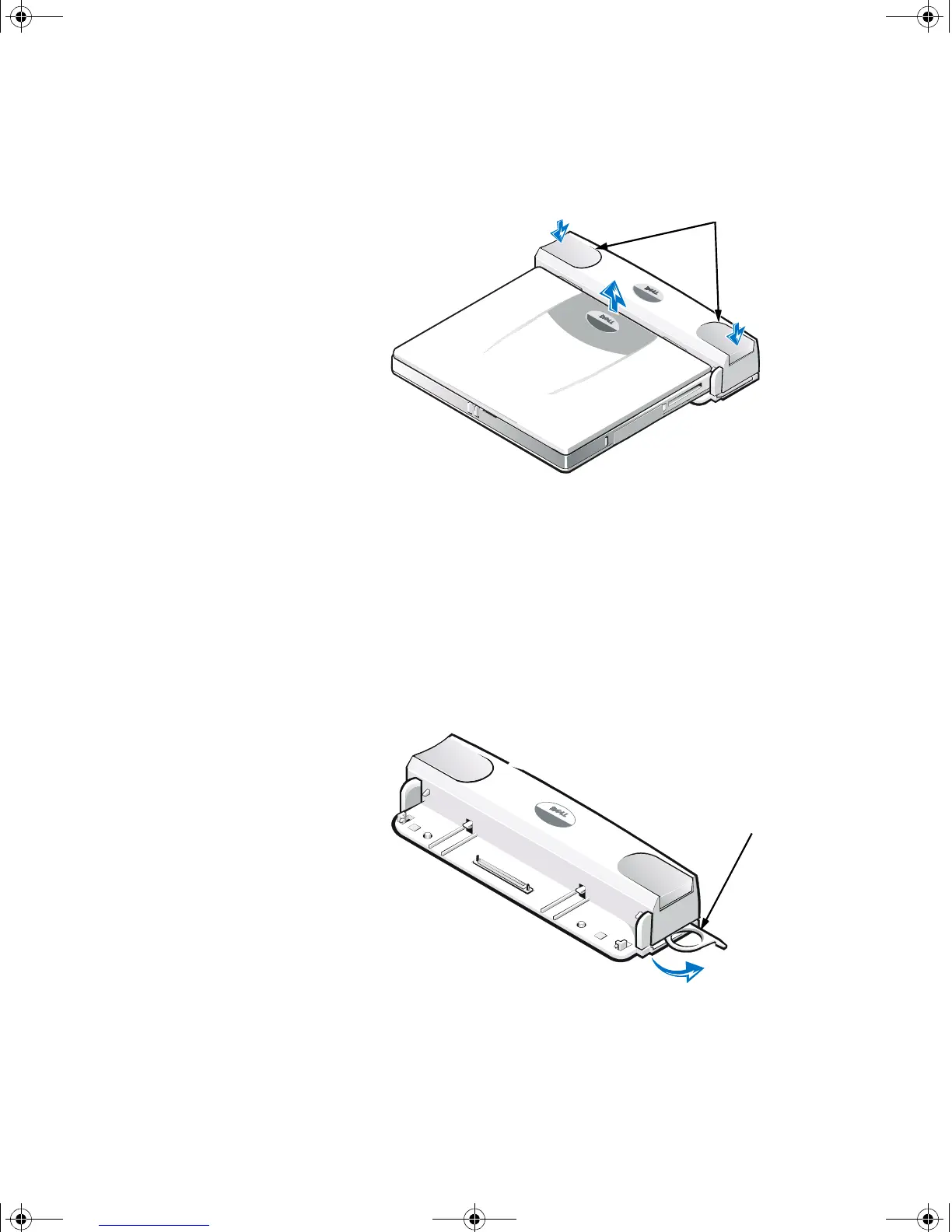
3. At the same time, press down on the left and right release buttons on the top of
the replicator, as shown in Figure 1-3, to undock the computer.
4. Lift the computer up and away from the APR.
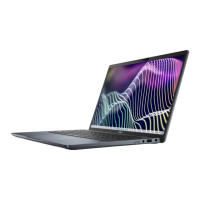
The security lock prevents unauthorized removal of your APR. The security lock
swings out of the APR, as shown in Figure 1-4. An antitheft cable device is looped
around an immovable object, passed through the security lock on the APR, and then
locked to the security cable slot on the computer. For more information see the
Dell
Latitude LS Family Portable Computers User’s Guide
.
!"#
release buttons
security lock
7538u1.book Page 6 Thursday, June 29, 2000 4:00 PM











 To Next Page