Steps
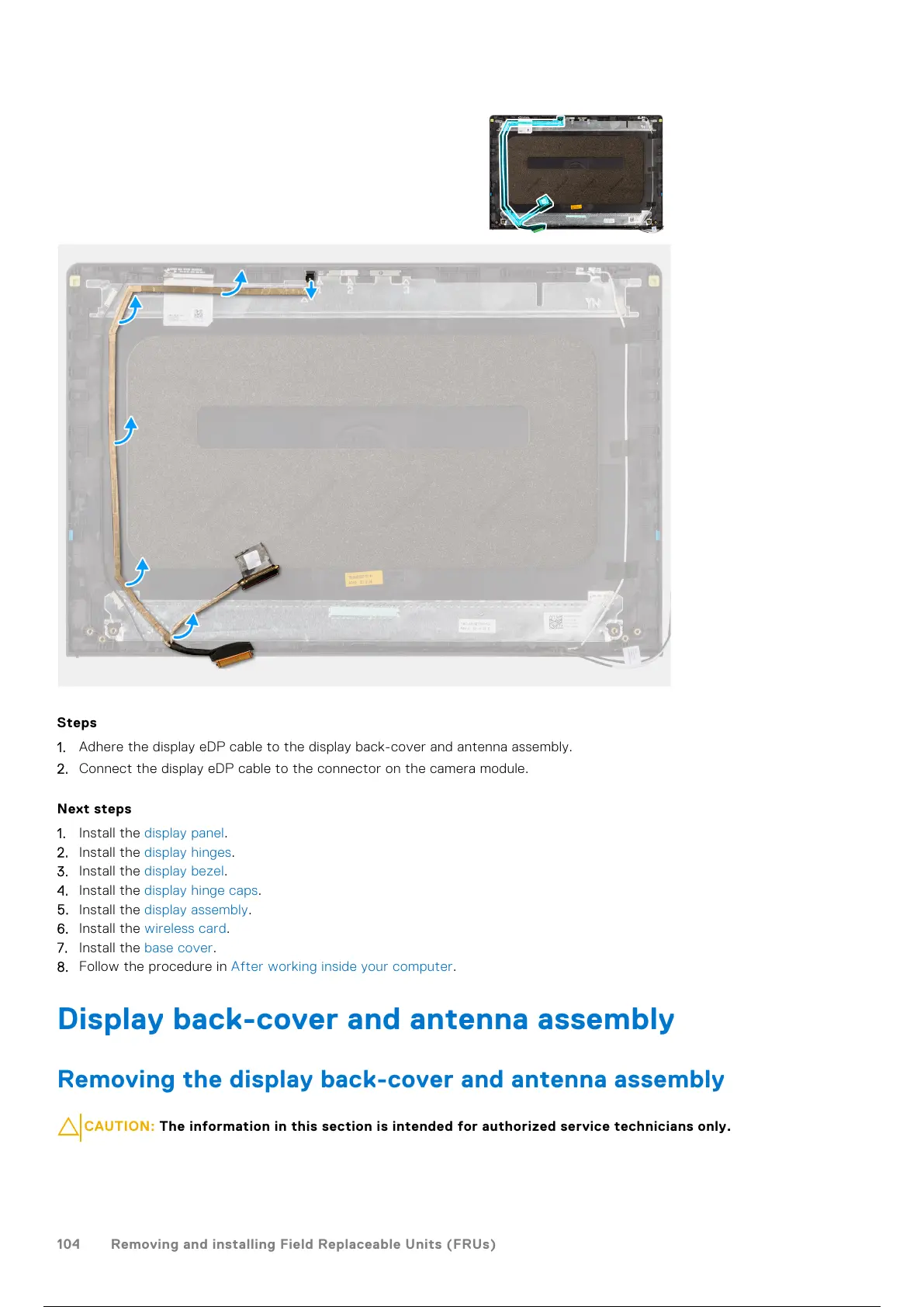
1. Adhere the display eDP cable to the display back-cover and antenna assembly.
2. Connect the display eDP cable to the connector on the camera module.
Next steps
1. Install the display panel.
2. Install the display hinges.
3. Install the display bezel.
4. Install the display hinge caps.
5. Install the display assembly.
6. Install the wireless card.
7. Install the base cover.
8. Follow the procedure in After working inside your computer.
Display back-cover and antenna assembly
Removing the display back-cover and antenna assembly
CAUTION: The information in this section is intended for authorized service technicians only.
104 Removing and installing Field Replaceable Units (FRUs)
105 / 136 104 / 134 105 / 136


 To Next Page