EasyManua.ls Logo

Dell OptiPlex 3000TC - User Manual

Dell OptiPlex 3000TC
62 pages
Print Icon
To Next Page IconTo Next Page
Loading...
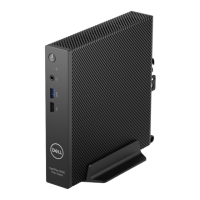
OptiPlex 3000 Thin Client
Service Manual
Regulatory Model: D15U
Regulatory Type: D15U003
March 2022
Rev. A00
Questo manuale d’istruzione è fornito da trovaprezzi.it. Scopri tutte le offerte per Dell OptiPlex
3000TC Pentium N6005 / 8GB / 32GB / Wyse ThinOS o cerca il tuo prodotto tra le migliori offerte di
PC Desktop e Workstation

Table of Contents

Questions and Answers

  • L
    lmacdonaldAug 19, 2025
    How to fix a system board failure (BIOS corruption or ROM error) on a Dell Desktop?
    • B
      Beverly VillegasSep 12, 2025
      To address a system board failure, including BIOS corruption or ROM error, on your Dell Desktop, start by flashing the latest BIOS version. If the problem persists, replace the system board.
  • J
    Janet Taylor DDSAug 21, 2025
    What to do if my Dell Desktop has a CPU failure?
    • S
      Susan DukeAug 21, 2025
      If your Dell Desktop is experiencing a CPU failure, run the Dell Support Assist/Dell Diagnostics tool. If the problem persists, replace the system board.
  • Y
    ystewartAug 23, 2025
    What to do if my Dell Desktop has a system board/chipset error?
    • Q
      qbrownAug 23, 2025
      If your Dell Desktop is showing a system board or chipset error, replace the system board.
  • S
    Shirley SantanaAug 26, 2025
    What to do if my Dell Desktop has a PCI or Video card/chip failure?
    • B
      Bryan ParkerAug 26, 2025
      If your Dell Desktop is experiencing a PCI or video card/chip failure, replace the system board.
  • B
    Benjamin AlexanderAug 27, 2025
    What to do if my Dell Desktop has a memory/RAM failure?
    • L
      Lisa MillerAug 27, 2025
      If you're experiencing a memory/RAM failure in your Dell Desktop, try resetting and swapping the memory modules among the slots. If the issue continues, replace the memory module.
  • R
    Ronald PageAug 29, 2025
    How to fix a BIOS Recovery image not found error on a Dell Desktop?
    • R
      reedrandyAug 30, 2025
      To resolve a 'BIOS Recovery image not found' error on your Dell Desktop, flash the latest BIOS version. If the problem continues, replace the system board.
  • S
    srivasAug 31, 2025
    How to fix BIOS Recovery image found but invalid error on a Dell Desktop?
    • M
      mcguirejesusSep 1, 2025
      To fix a 'BIOS Recovery image found but invalid' error on your Dell Desktop, flash the latest BIOS version. If the issue persists, replace the system board.
  • D
    Donald MartinezSep 3, 2025
    What to do if my Dell Desktop has an LCD failure (EC detection of power rail failure)?
    • C
      craigporterSep 3, 2025
      If the EC detects a power rail failure related to the LCD on your Dell Desktop, replace the system board.
  • J
    johndennisSep 5, 2025
    What to do if my Dell Desktop has a CMOS battery failure?
    • J
      Jason JonesSep 5, 2025
      If your Dell Desktop is experiencing a CMOS battery failure, reset the main battery connection. If the problem continues, replace the main battery.
  • W
    wheelerjustinSep 7, 2025
    What to do if my Dell Desktop has a TPM detection failure?
    • H
      hsteeleSep 7, 2025
      If your Dell Desktop has a TPM detection failure, replace the system board.

Dell OptiPlex 3000TC Specifications

General IconGeneral
ChipsetIntel B660
CPUIntel Core i3, i5, i7
MemoryUp to 64GB DDR4 3200MHz (2 DIMM slots)
StorageUp to 2TB 3.5" SATA HDD
GraphicsIntel UHD Graphics
Operating SystemWindows 11 Pro
Ports (Front)2x USB 3.2 Gen 1
Ports (Rear)Two USB 3.2 Gen 1 ports, Two USB 2.0 ports, One RJ45 Ethernet port, One DisplayPort 1.4, One HDMI 1.4 port, One audio line-out port
Expansion Slots1x PCIe x16
Power Supply260W internal power supply unit (PSU), 80 Plus Bronze

Related product manuals