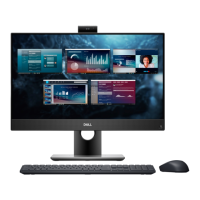
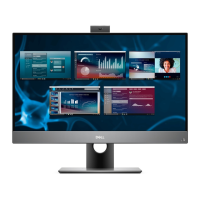
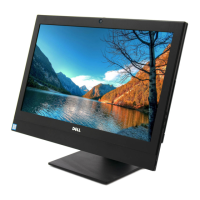
This document is a service manual for the Dell OptiPlex 7470 All-in-One computer. It provides detailed instructions for removing and installing various components, as well as troubleshooting information.
Function Description:
The Dell OptiPlex 7470 All-in-One is a desktop computer that integrates the system components and display into a single unit. This design aims to simplify setup and reduce cable clutter. The service manual outlines procedures for maintaining and repairing the internal hardware, ensuring the longevity and optimal performance of the device. It covers everything from basic component replacement to more complex system board and display panel servicing.
Important Technical Specifications:
Memory (DDR4):
The system supports DDR4 (double data rate fourth generation) memory, which offers higher speeds and capacities compared to older DDR2 and DDR3 technologies.
- Chip Densities: Supports 4 Gb-16 Gb.
- Data Rates: Ranges from 1600 Mb/s to 3200 Mb/s.
- Voltage: Operates at 1.2 V, consuming 20 percent less power than DDR3 (1.5 V).
- Power Management: Features a deep power-down mode that reduces standby power consumption by 40 to 50 percent.
- Internal Banks: Has 16 internal banks, allowing for higher data rates.
- Bank Groups (BG): Includes 4 bank groups for faster burst accesses.
- DIMM Types: Supports RDIMM, LRDIMM, UDIMM, and SODIMM.
- DIMM Pins: 288 pins for R, LR, U DIMMs; 260 pins for SODIMMs.
- Error Correction: Features CRC, Parity, Addressability, and GDM for improved data integrity.
- Physical Design: DDR4 modules have a different key notch location and are slightly thicker than DDR3 modules to accommodate more signal layers. They also feature a curved edge for easier insertion and reduced stress on the PCB.
USB Features:
The system incorporates Universal Serial Bus (USB) technology, with support for various generations.
- USB 2.0 (High Speed): Data transfer rate of 480 Mbps, introduced in 2000.
- USB 3.0/USB 3.1 Gen 1 (Super Speed): Data transfer rate of 5 Gbps, introduced in 2010. This generation offers 10 times faster theoretical bandwidth than USB 2.0.
- Key Features: Higher transfer rates, increased maximum bus power, improved power management, full-duplex data transfers, backward compatibility with USB 2.0, and new connectors/cables.
- Technical Changes: Includes an additional physical bus with four more wires for differential signals (receive and transmit), totaling eight connections in connectors and cabling. Utilizes a bidirectional data interface.
- USB 3.1 Gen 2 (Super Speed): Data transfer rate of 10 Gbps, introduced in 2013.
- Compatibility: USB 3.0/3.1 Gen 1 is designed to coexist with USB 2.0, maintaining the same rectangular connector shape with USB 2.0 contacts in the same location. Windows 8/10 provides native support for USB 3.1 Gen 1 controllers.
The device supports HDMI 1.4/2.0, an uncompressed, all-digital audio/video interface.
- Function: Connects compatible digital audio/video sources (e.g., DVD players) to digital audio/video monitors (e.g., DTVs).
- Advantages: Cable reduction, content protection, supports standard, enhanced, or high-definition video, and multichannel digital audio on a single cable.
- HDMI 1.4 Features:
- HDMI Ethernet Channel: Adds high-speed networking to the HDMI link.
- Audio Return Channel: Allows HDMI-connected TVs to send audio data upstream to a surround audio system.
- 3D Support: Defines input/output protocols for major 3D video formats.
- Content Type: Real-time signaling of content types for optimized picture settings.
- Additional Color Spaces: Supports color models used in digital photography and computer graphics.
- 4K Support: Enables video resolutions beyond 1080p.
- HDMI Micro Connector: A smaller connector for portable devices, supporting up to 1080p.
- Automotive Connection System: Cables and connectors designed for automotive video systems.
- Quality: Transfers uncompressed digital audio and video for crisp image quality.
- Cost-Effective: Provides digital interface quality and functionality at a low cost.
- Audio Support: Supports multiple audio formats from standard stereo to multichannel surround sound.
- Simplified Cabling: Combines video and multichannel audio into a single cable.
- Communication: Supports communication between video source and DTV for new functionalities.
Usage Features:
The manual details the process of disassembling and reassembling the computer, which is crucial for upgrades, repairs, and maintenance.
- Component Removal/Installation: Step-by-step guides for components like rubber feet, cable cover, stand, back cover, hard drive, memory module, system board shield, Intel Optane card, SSD, WLAN card, system fan, heat sink, pop-up camera, coin cell battery, processor, base cover, power supply unit (PSU), PSU fan, input and output bracket, system board, speakers, power button board, microphones, headset port, antennas, display panel, display cable, and middle frame.
- Safety Instructions: Emphasizes disconnecting power, grounding oneself to prevent electrostatic discharge, and handling components with care.
- Recommended Tools: Lists Phillips #0 screwdriver, Phillips #1 screwdriver, and plastic scribe.
- Screw Size List: Provides a comprehensive list of screw types and quantities for various components.
Maintenance Features:
The manual includes troubleshooting information and diagnostic tools to help identify and resolve issues.
- ePSA Diagnostics: An embedded diagnostic tool that performs a complete check of the hardware.
- Initiation: Can be initiated by pressing FN+PWR buttons during power-on or by selecting "Diagnostics" from the F12 boot menu.
- Functionality: Runs tests automatically or interactively, displays/saves test results, provides additional options for thorough tests, and shows status/error messages.
- User Interaction: Some tests require user interaction.
- Power Status Light: Indicates system status.
- Solid Amber: System unable to boot, power supply or another device failing.
- Blinking Amber: System unable to boot, power supply normal but another device failing or not installed.
- Off: System in hibernation or turned off.
- Beep Codes: Blinking amber light combined with beep codes indicates specific failures.
- Diagnostic LED/Beep Codes: A table correlating LED flash patterns and beep codes with specific problems (e.g., faulty system board, CPU error, memory issues).
- Camera Status Light: Indicates if the camera is in use (solid white) or not (off).
- LCD Built-in Self Test (BIST): A diagnostic tool for the LCD to isolate display sub-system faults.
- Pattern Display: Emits a sequence of Red-Green-Blue-White-Blue patterns for 2-3 seconds each.
- Initiation: Invoked by pressing the Display Built-in Self Test button and the Power button together.

 Need help?






 To Next Page
 General