Back to Contents Page
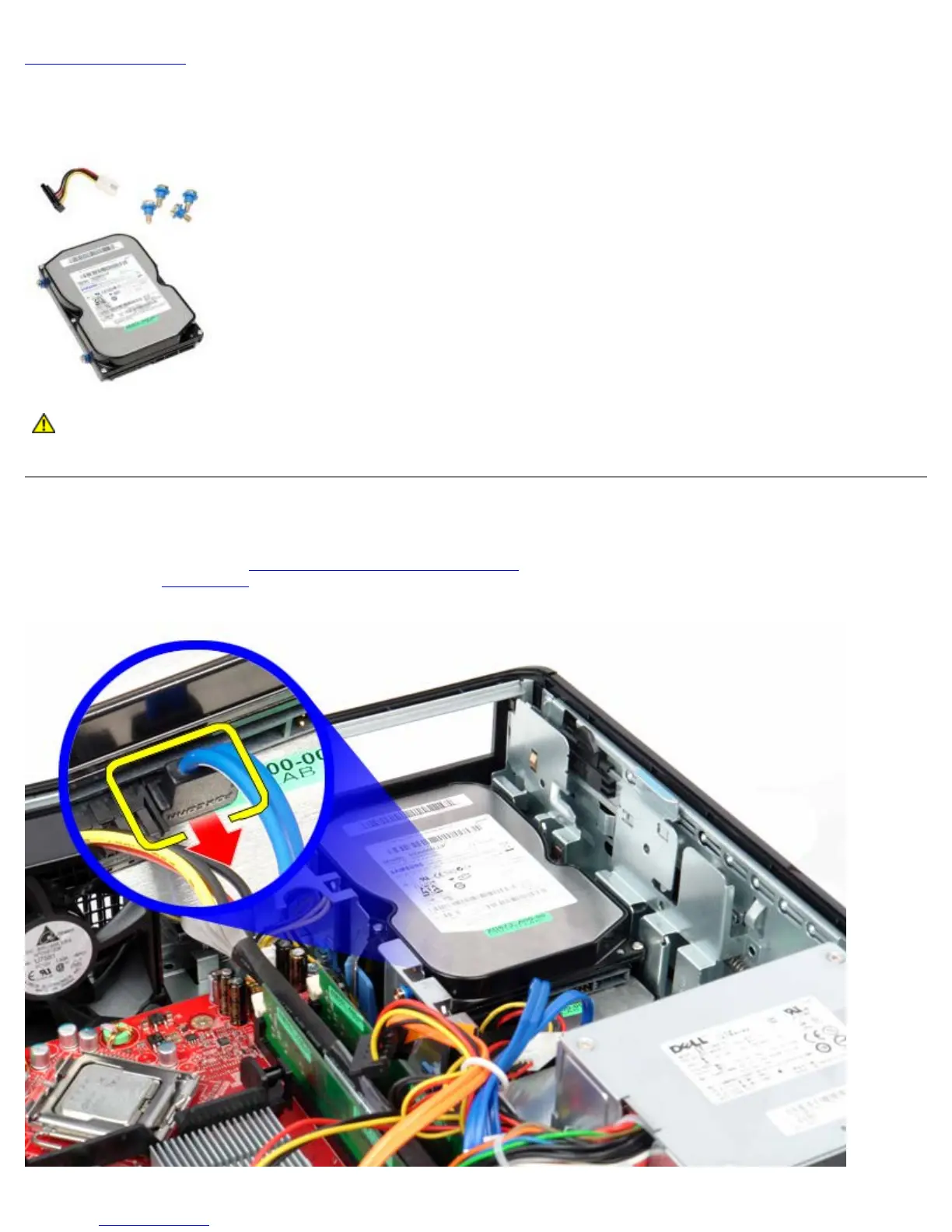
Secondary Hard Drive (Optional)
Dell™ OptiPlex™ 780 Service Manual—Desktop
WARNING: Before working inside your computer, read the safety information that shipped with your
computer. For additional safety best practices information, see the Regulatory Compliance Homepage at
www.dell.com/regulatory_compliance.
Removing the Secondary Hard Drive (Optional)
1. Follow the procedures in Before Working Inside Your Computer.
2. Remove the optical drive
from the computer.
3. Disconnect the hard-drive data cable.











 To Next Page