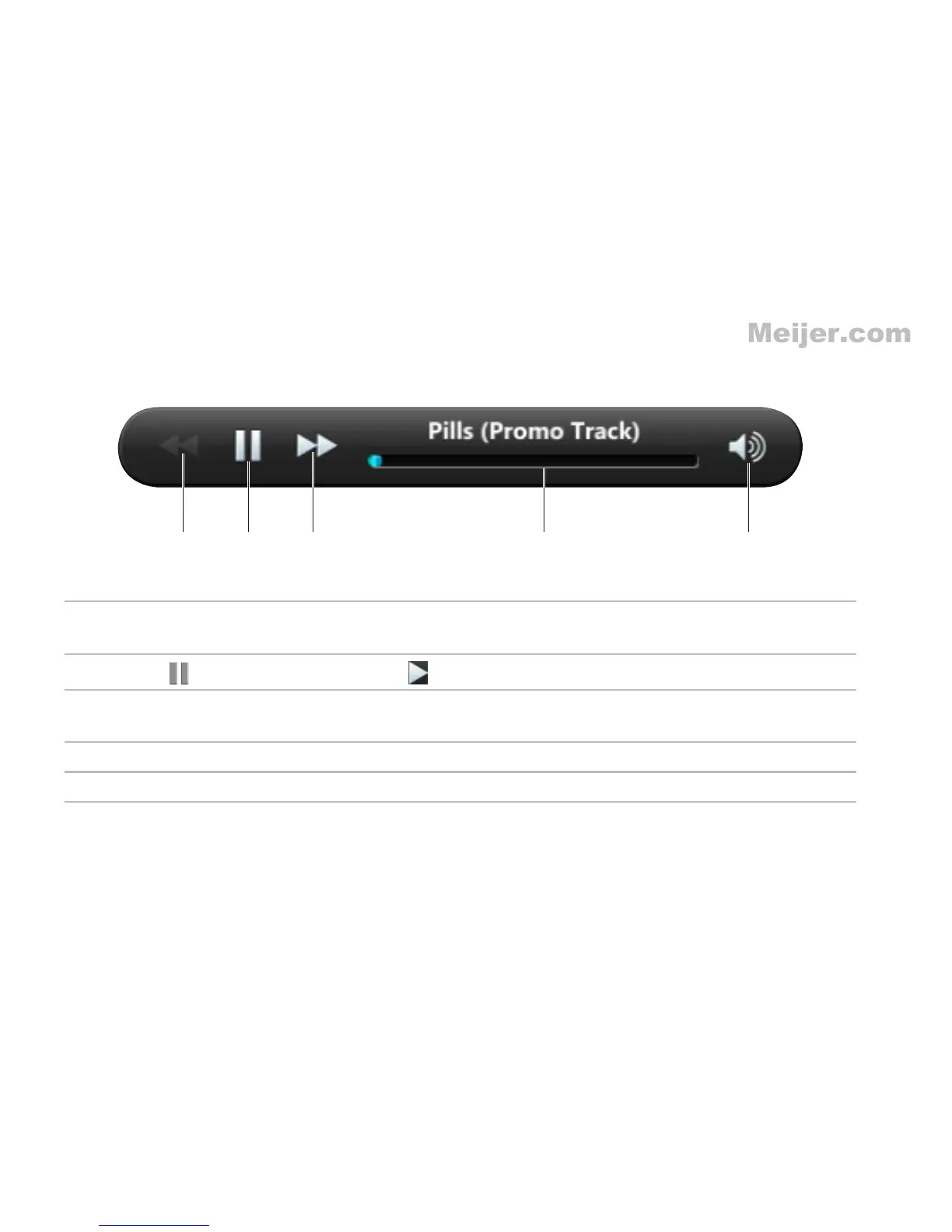
1 Touch to play the previous song. This option is enabled only if there is more than one
song in the selected album.
2
Touch
to pause playback; touch to resume playback.
3 Touch to play the next song. This option is enabled only if there is more than one song in
the selected album.
4 Touch the playback control to jump to any part of the song.
5 Touch the volume control to increase, decrease, or mute the volume.














 To Next Page