About this task
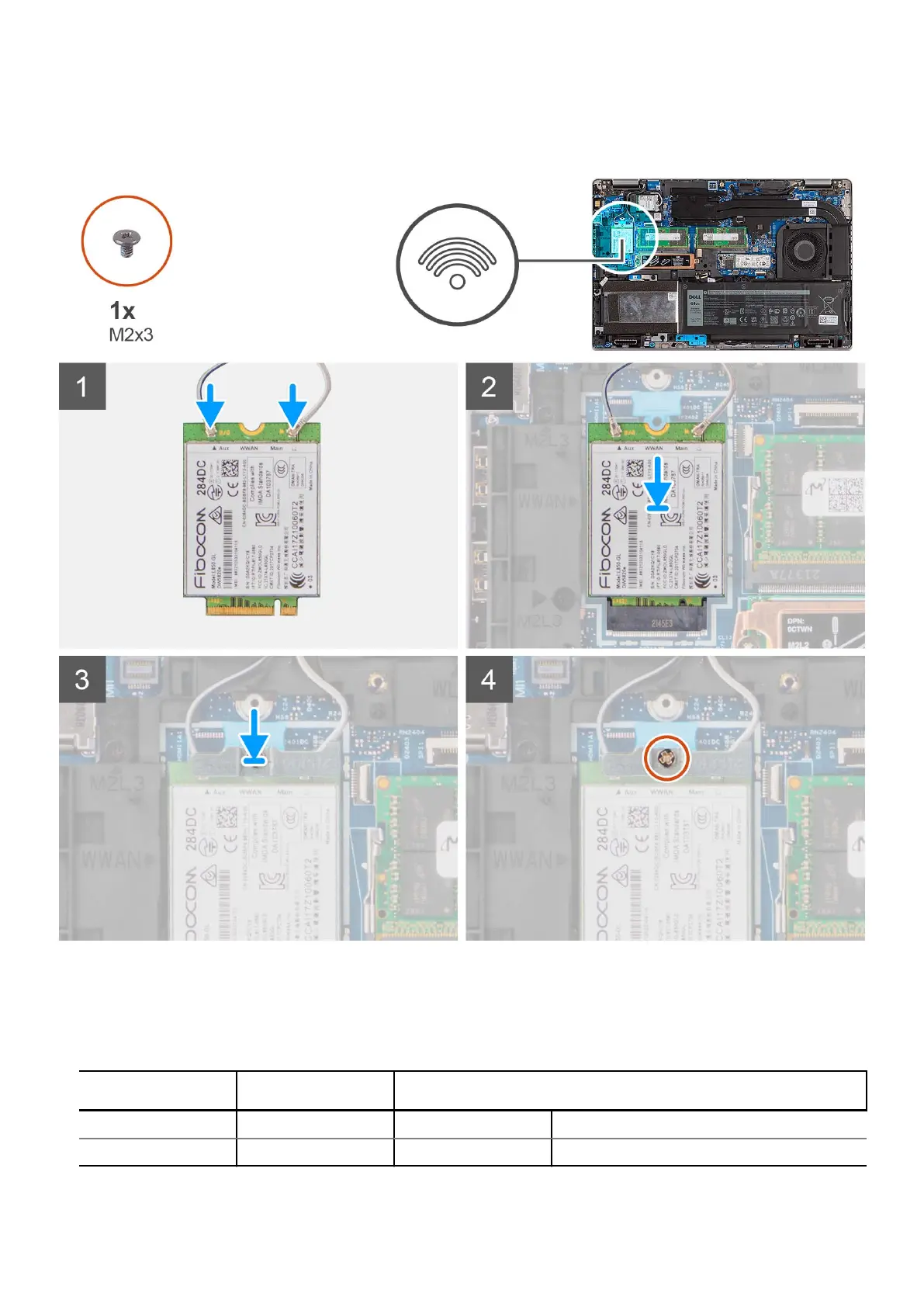
The following image indicates the location of the WWAN card and provides a visual representation of the installation procedure.
Steps
1. Connect the antenna cables to the WWAN card.
The following table provides the antenna-cable color scheme:
Table 3. Antenna-cable color scheme
Connectors on the
wireless card
Antenna-cable color Silkscreen marking
Main White MAIN △ (white triangle)
Auxiliary Black AUX ▲ (black triangle)
28 Removing and installing components





 To Next Page