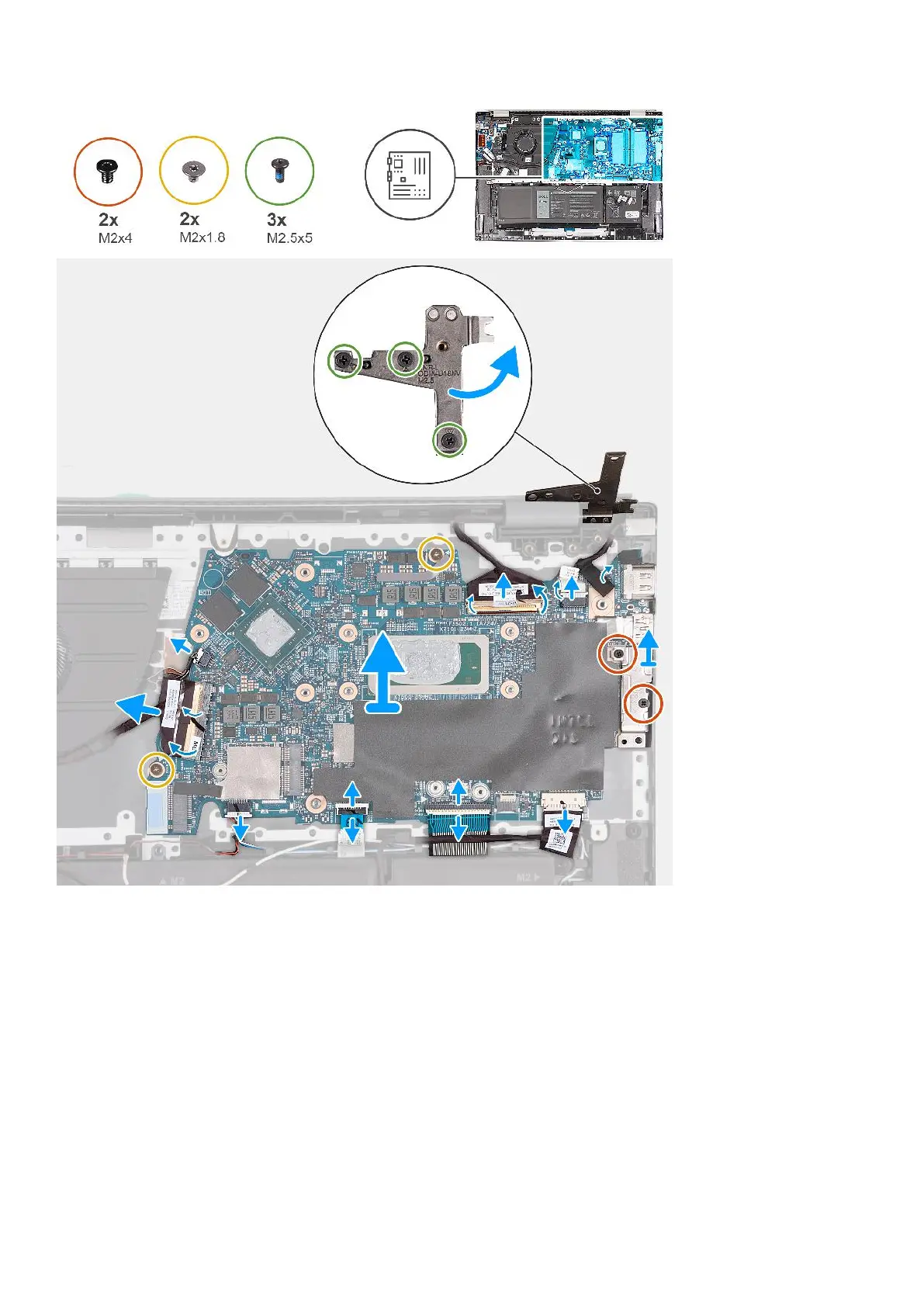
Steps
1. Remove the three screws (M2.5x5) that secure the right display hinge to the system board.
2. Open the right display hinge at an angle of 90 degrees.
3. Peel the tape that secures the display-cable connector latch to the system board.
4. Open the latch and disconnect the display cable from the system board.
5. Peel the tapes that secure the power-adapter port cable to the system board.
6. Disconnect the power-adapter port cable from the system board.
7. Remove the two screws (M2x4) that secure the Type-C port bracket to the system board.
8. Lift the Type-C port-bracket off the system board.
9. Disconnect the battery cable from the system board.
10. Open the latch and disconnect the keyboard cable from the system board.
11. Open the latch and disconnect the touchpad cable from the system board.
12. Disconnect the keyboard-backlight cable from the system board.
66
Removing and installing Field Replaceable Units (FRUs)



 To Next Page