NOTE: Device Encryption will be triggered when either the system board or storage (SSD) is replaced. Refer to BitLocker
for more information on suspending BitLocker
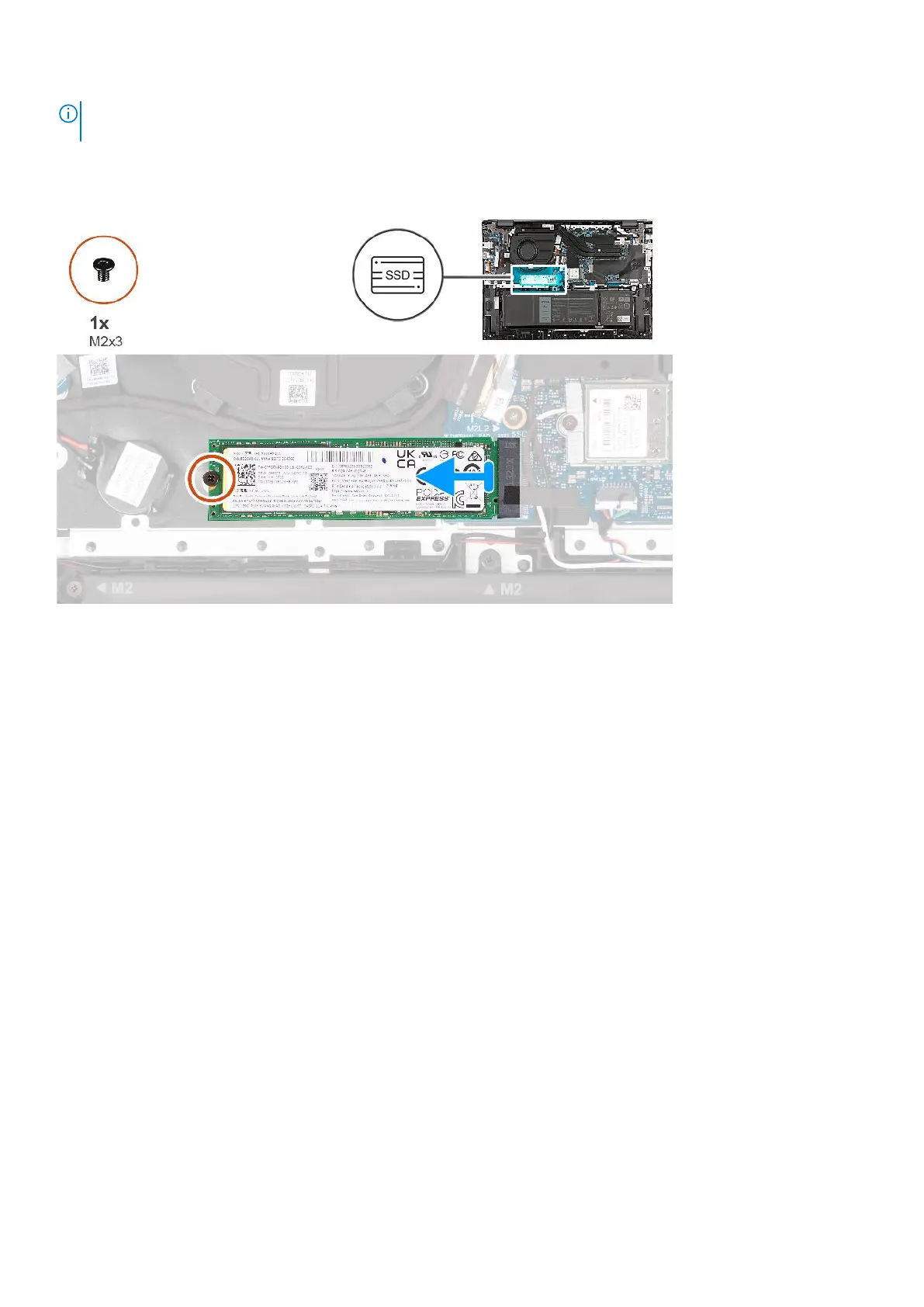
The following image(s) indicate the location of the M.2 2280 solid-state drive and provides a visual representation of the
removal procedure.
Steps
1. Remove the screw (M2x3) that secures the M.2 2280 solid-state drive to the system board.
2. Slide and remove the M.2 2280 solid-state drive from the solid-state drive slot.
Installing the M.2 2280 solid-state drive
Prerequisites
If you are replacing a component, remove the existing component before performing the installation process.
About this task
The following image(s) indicate the location of the M.2 2280 solid-state drive and provides a visual representation of the
installation procedure.
42
Removing and installing Customer Replaceable Units (CRUs)



 To Next Page