About this task
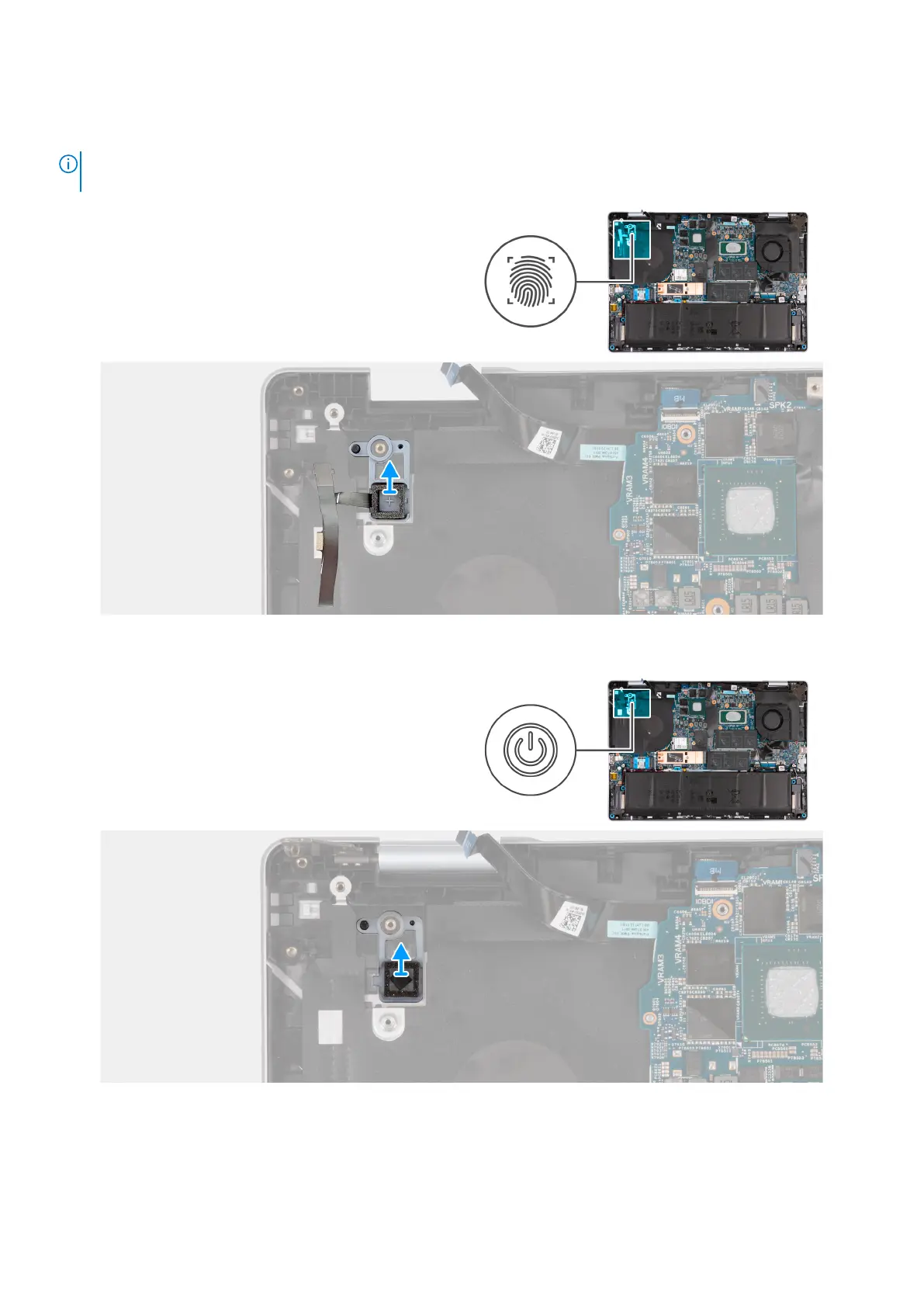
The following image(s) indicate the location of the power button and provides a visual representation of the removal procedure.
NOTE: Depending on the configuration of your computer, you may have a power-button with an optional fingerprint reader
installed.
Figure 48. Removing the power button with an optional fingerprint reader
Figure 49. Removing the power button
Steps
1. Peel back the tape that secures the fingerprint-reader cable to the palm-rest and keyboard assembly.
74
Removing and installing Field Replaceable Units (FRUs)



 To Next Page