Operating your monitor | 45
Energy
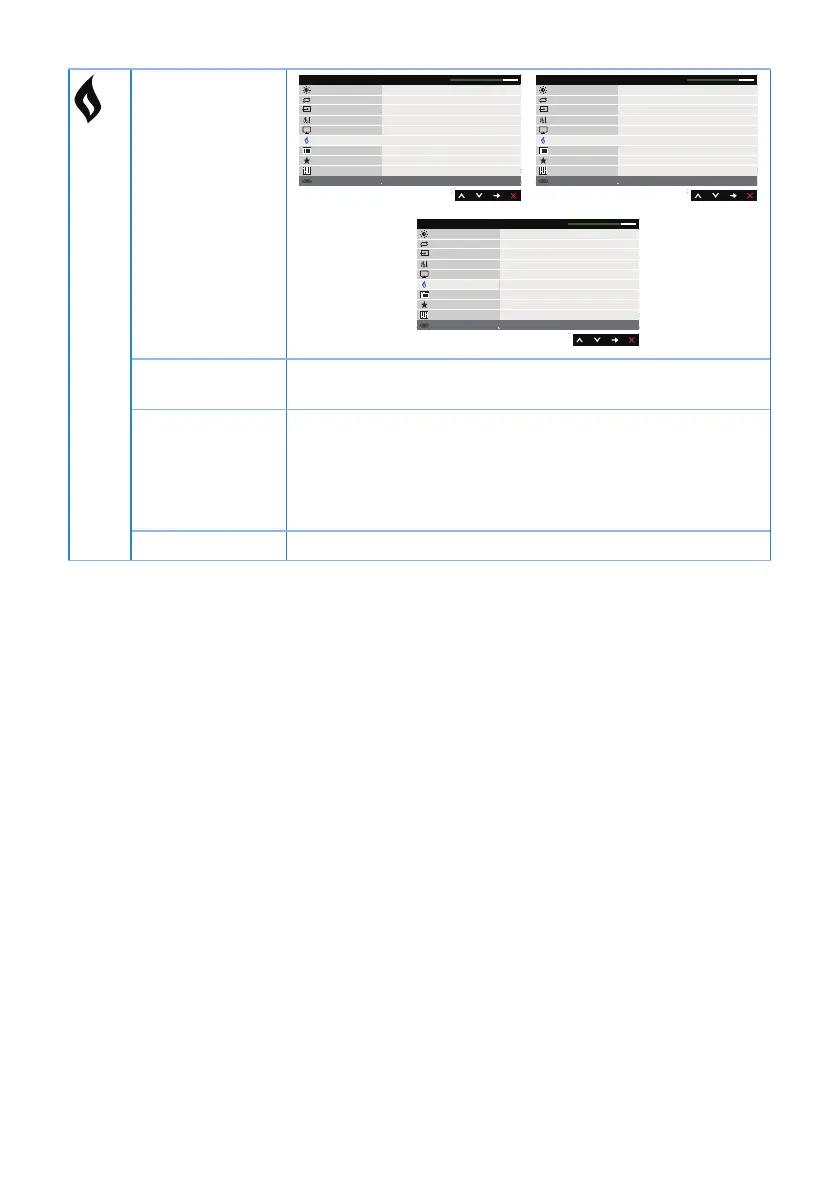
Dell P1917S/P1917SWh Energy Use
Auto Adjust
Color
Display
Energy
Menu
Others
Brightness / Contrast
Resolution: 1280x1024, 60Hz
Input Source
Power Button LED
On During Active
USB
Reset Energy
Off During Standby
Personalize
Dell P2017H Energy Use
Auto Adjust
Color
Display
Energy
Menu
Others
Brightness / Contrast
Resolution: 1600x900, 60Hz
Input Source
Power Button LED
On During Active
USB
Reset Energy
Off During Standby
Personalize
Dell P2217/P2217Wh Energy Use
Auto Adjust
Color
Display
Energy
Menu
Others
Brightness / Contrast
Resolution: 1680x1050, 60Hz
Input Source
Power Button LED
On During Active
USB
Reset Energy
Off During Standby
Personalize
Power Button
LED
Allows you to set the power LED indicator on during
active or off during active to save energy.
USB Allows you to enable or disable USB function during
monitor standby mode.
NOTE: USB ON/OFF under standby mode is only available
when USB upstream cable unplugged. This option will be
grey out when USB upstream cable plug in.
Reset Energy Select this option to restore default Energy settings.



 To Next Page