Need help?
Do you have a question about the Dell P2212H and is the answer not in the manual?
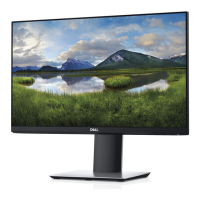
Outlines the key technical specifications and functionalities of the P2212H/P2312H monitors.
Lists technical details of the LCD panel, screen resolution, and supported video modes.
Steps to configure the monitor's display resolution to 1920 x 1080 for optimal performance.
Guides users on connecting the monitor to a computer using VGA or DVI cables.
Details how to access and use the monitor's OSD menu for configuration.
Procedures for running self-tests and built-in diagnostics to identify monitor problems.
Offers solutions for typical issues encountered with the monitor's display or functionality.
 General
| Screen Size | 21.5 inches |
|---|---|
| Resolution | 1920 x 1080 pixels |
| Panel Type | TN |
| Aspect Ratio | 16:9 |
| Brightness | 250 cd/m² |
| Refresh Rate | 60 Hz |
| Color Support | 16.7 million colors |
| Contrast Ratio | 1000:1 |
| Response Time | 5 ms |
| Connectivity | VGA, DVI-D |
| Viewing Angles | 170° horizontal, 160° vertical |
| Power Consumption | 0.5W (standby) |
| Weight (with stand) | 5.08 kg |


 To Next Page