56 │ Operating your monitor
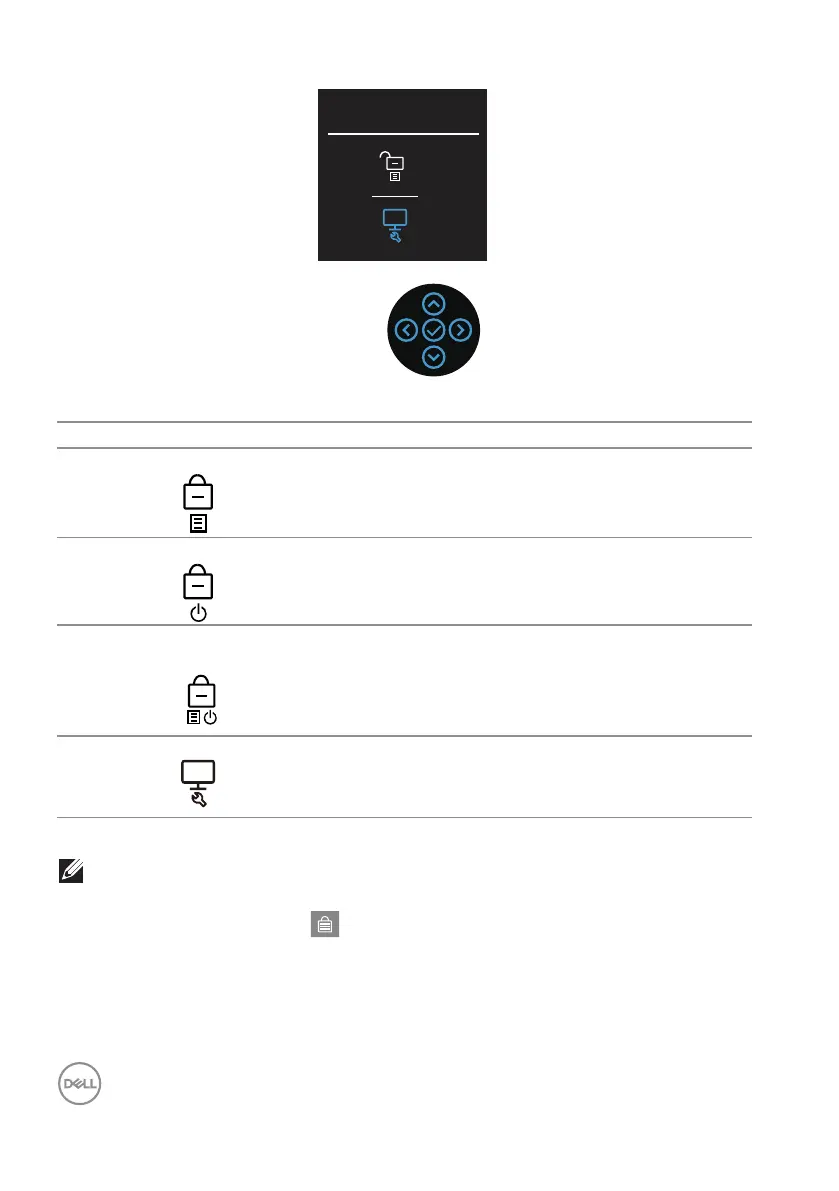
Select option:
There are three lock options.
Menu Description
1 Menu Buttons When Menu Buttons is selected, the OSD menu
settings cannot be changed. All buttons are locked
except Power button.
2 Power Button When Power Button is selected, the display cannot
be turned off using the Power button.
3 Menu + Power
Buttons
When Menu + Power Buttons is selected, the OSD
menu settings cannot be changed and the Power
button is locked.
4 Built-in Diagnostics See Built-in diagnostics for more information.
NOTE: To access the Lock or Unlock menu – Press and hold the Up or
Down or Left or Right direction for four seconds.
In the following scenarios, the icon appears at the center of the display:
• When Up or Down or Left or Right direction are pressed. This indicates the
OSD menu buttons are in lock state.



 To Next Page