38 | Operating the Monitor
Icon Menu and
Submenus
Description
Reset Other
Settings
Restores other settings, such as DDC/CI, to factorydefaults.
Factory Reset Restores all OSD settings to the factory defaults.
NOTE: This monitor has a built-in feature to automatically calibrate the brightness
to compensate for LED aging.
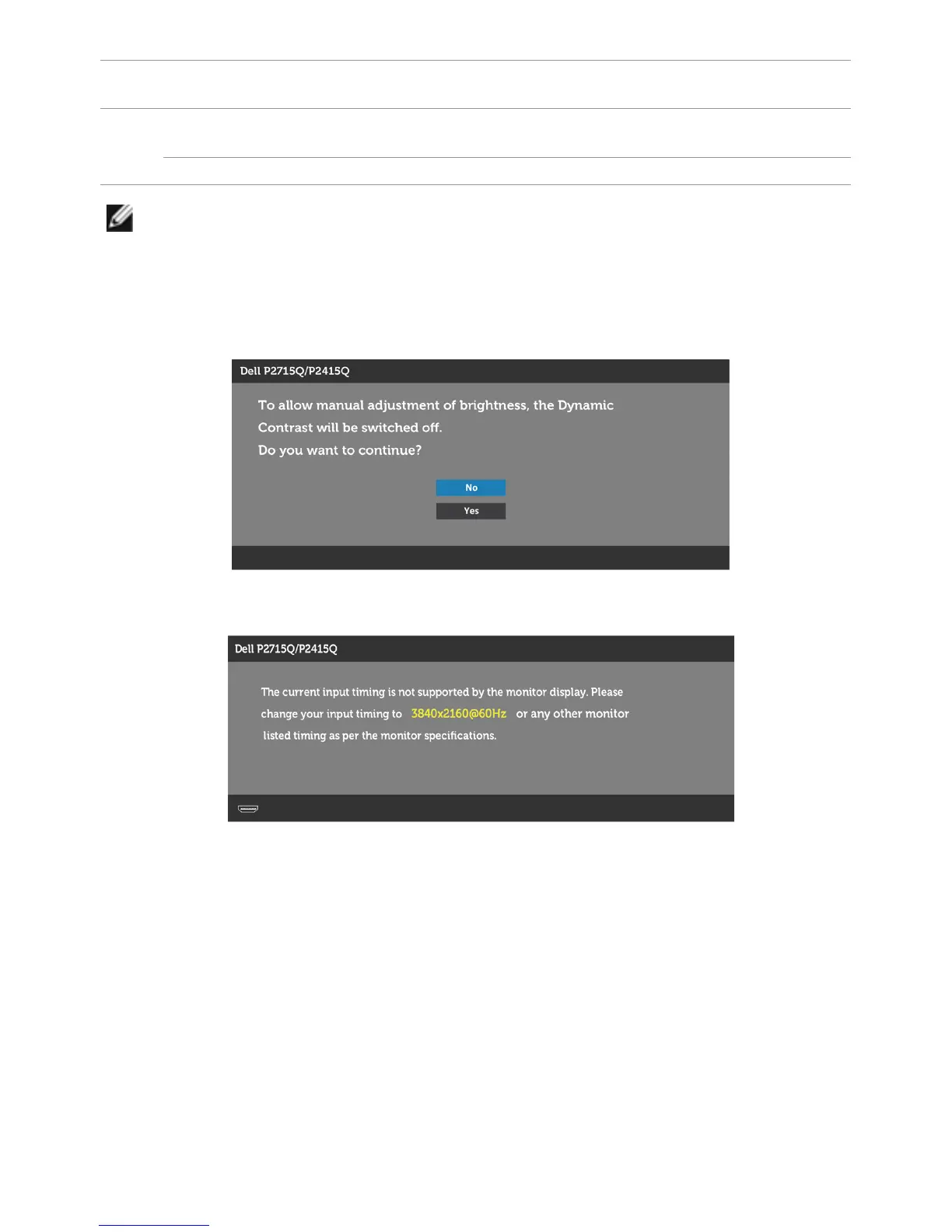
OSD Warning Messages
When the Dynamic Contrast feature is enabled (in these preset modes: Game or Movie),
manual brightness adjustment is disabled.
When the monitor does not support a particular resolution mode, you will see the
following message:



 To Next Page