42 │ Setting up the monitor
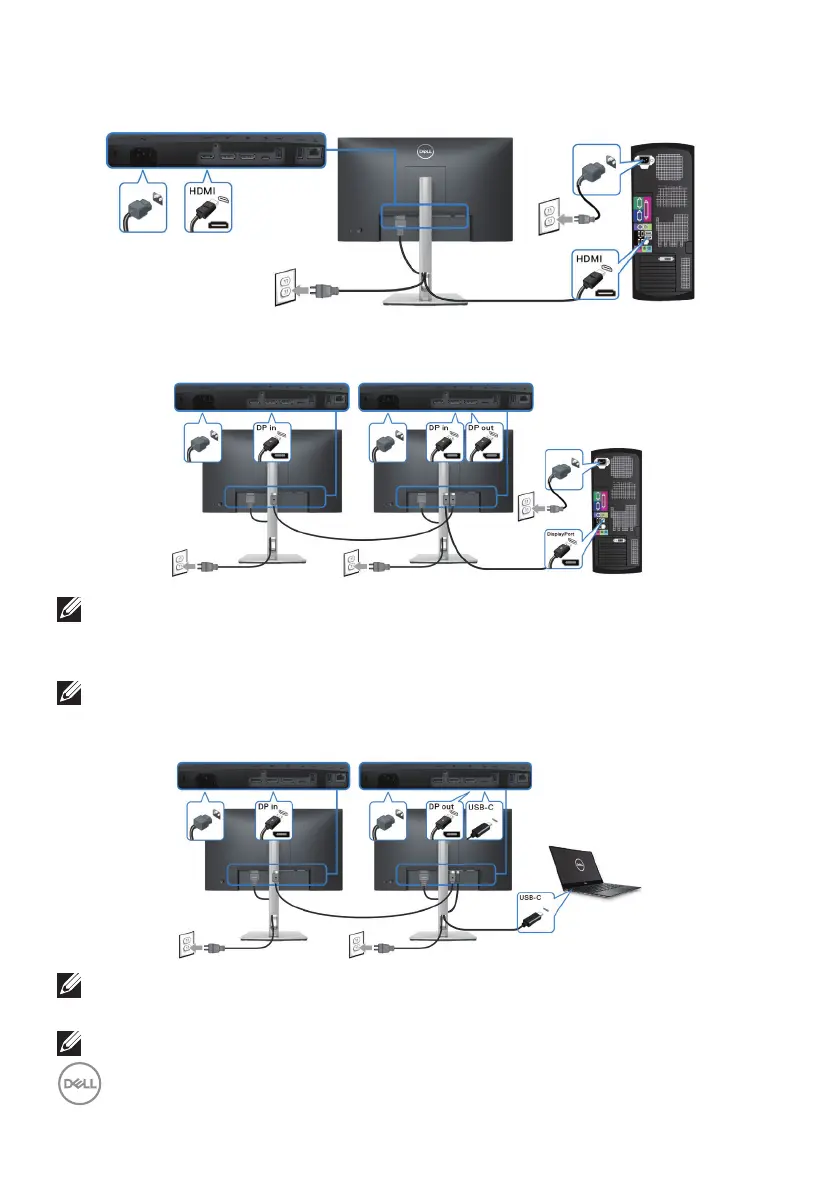
Connecting the HDMI cable (optional)
Connecting the monitor for DP Multi-Stream Transport (MST) function
NOTE: This monitor supports the DP MST feature. To make use of this
feature, your PC Graphics Card must be certified to DP1.4 with MST
option.
NOTE: Remove the rubber plug when using DP out connector.
Connecting the monitor for USB-C Multi-Stream Transport (MST) function
NOTE: The maximum number of supported monitors via MST is
subjected to the bandwidth of the USB-C source.
NOTE: Remove the rubber plug when using the DP out connector.



 To Next Page