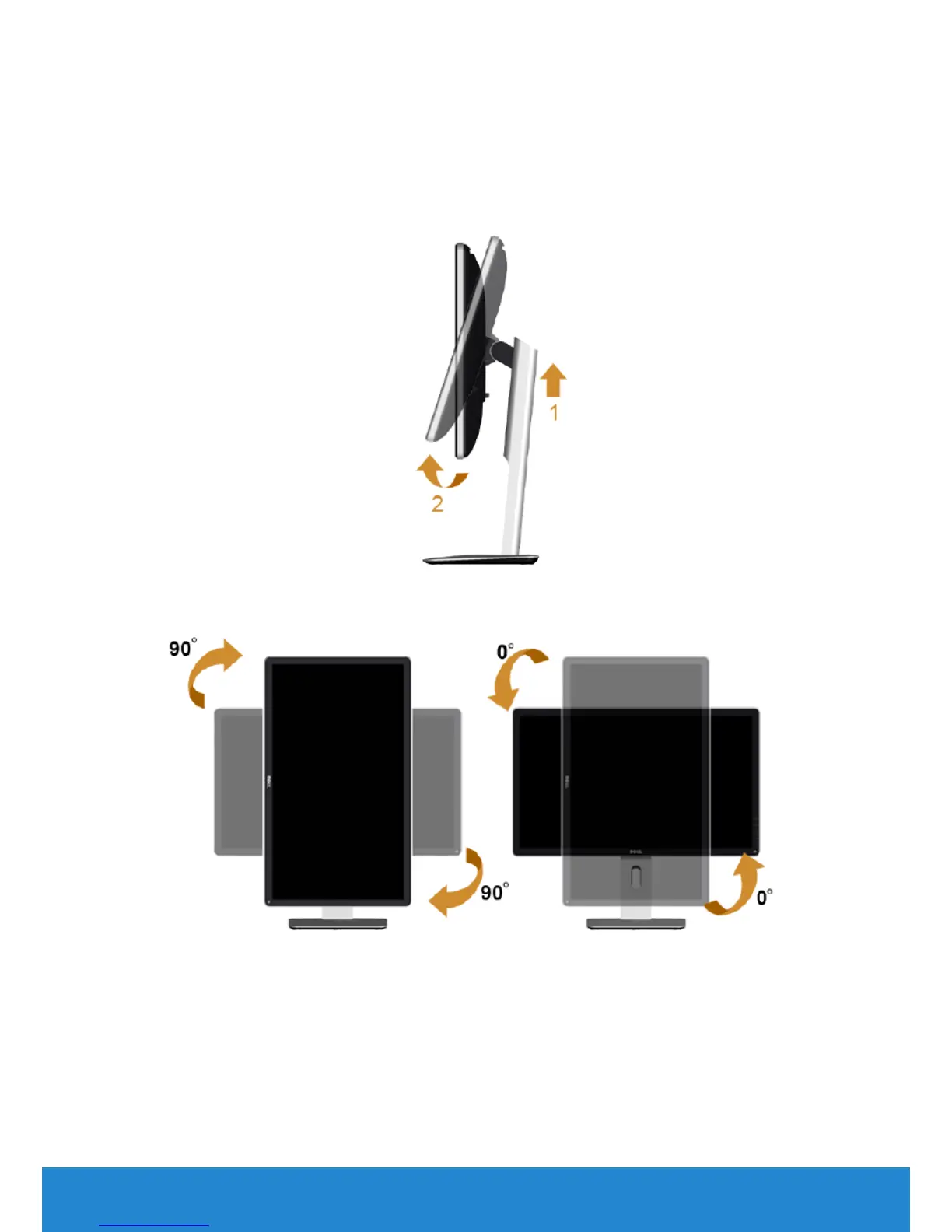
Rotating the monitor
Before you rotate the monitor, your monitor should be fully vertically
extended (Vertical Extension) and fully tilted up to avoid hitting the
bottom edge of the monitor.
To use the rotation function (landscape versus potrait view) with your Dell
computer, you need an updated graphics driver that is not included with
this monitor. To download the graphics driver, please visit our website:
http://www.dell.com/support/ and check the Download section for
Video Drivers for latest driver updates.
When in Portrait View Mode, you may experience performance
degradation in graphic-intensive applications (3D Gaming etc.)
Operating the Monitor
49



 To Next Page