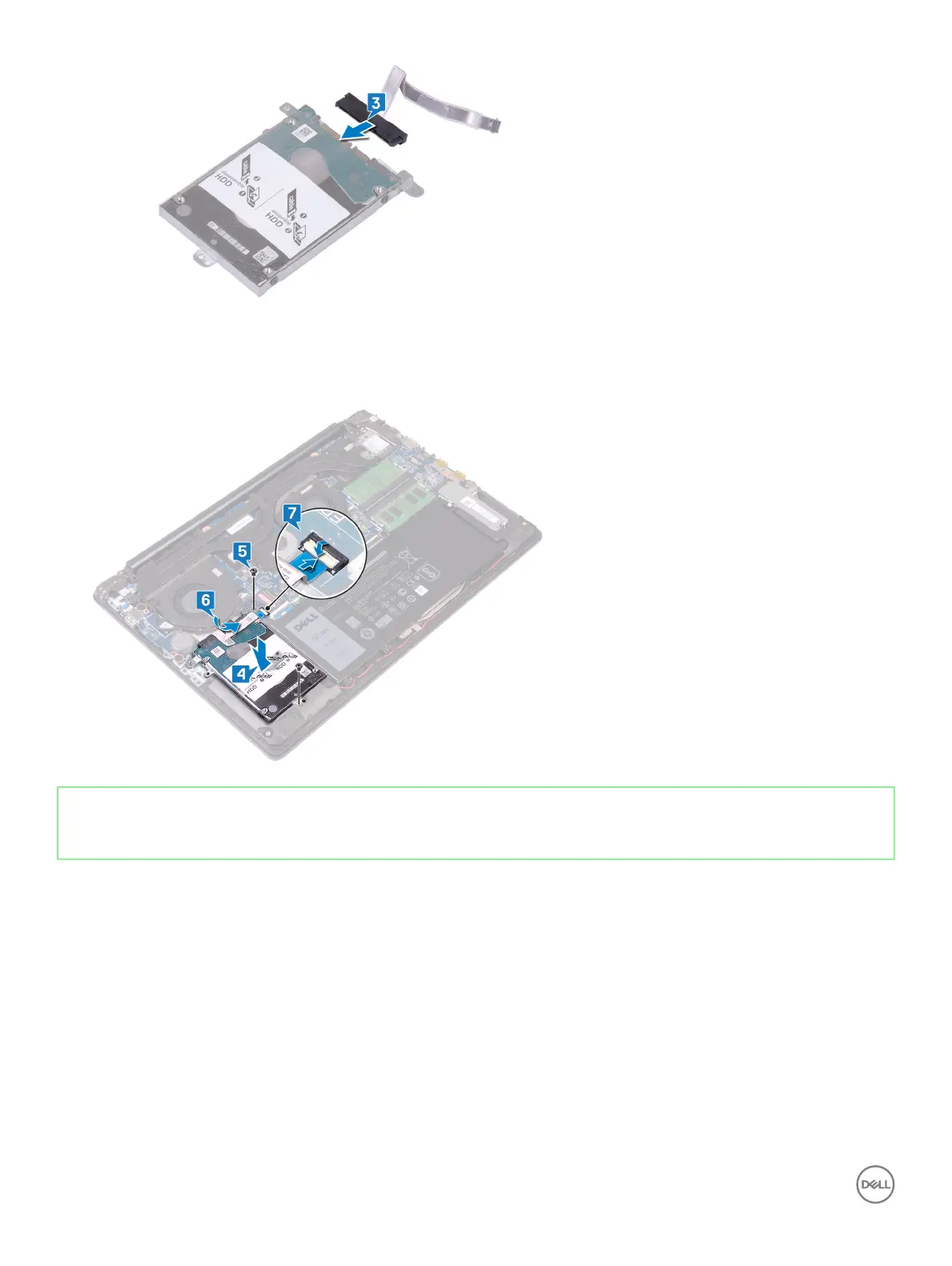
4 Align the screw holes on the hard-drive assembly with the screw holes on the palm rest and keyboard assembly.
5 Replace the two screws (M2x3) that secure the hard-drive assembly to the palm rest and keyboard assembly.
6 Fold the hard-drive cable and connect it to the system board.
7 Slide the hard-drive cable into the connector on the system board and close the latch.
Identifier GUID-56AA2BC3-6EFC-43DA-A65A-1B08AC611390
Status Released
Post-requisites
1 Replace the battery.
2 Replace the base cover.
44
Replacing the hard drive



 To Next Page