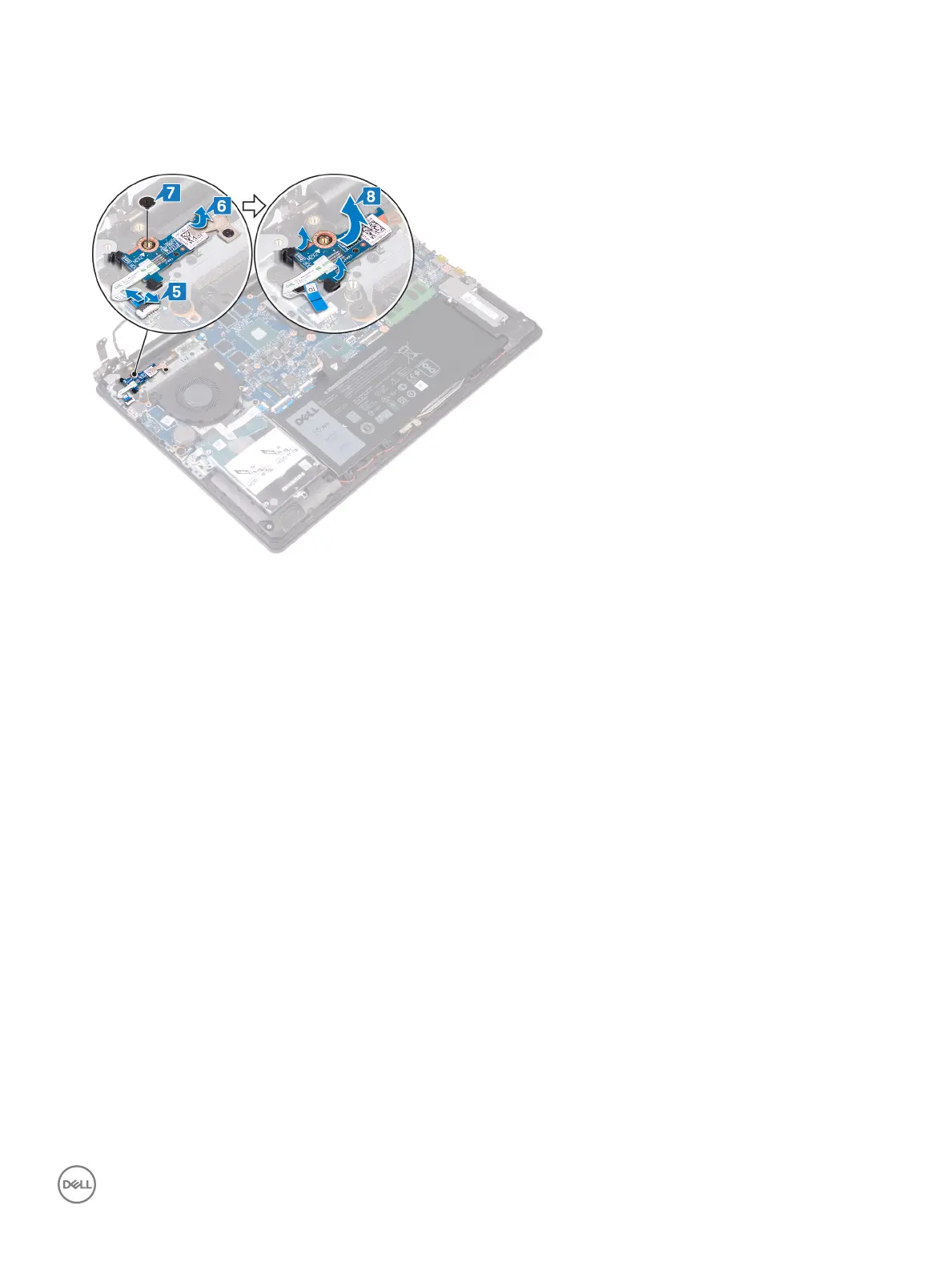
5 Open the latch and disconnect the power-button board cable from the I/O board.
6 Gently peel o the tape that secures the power-button board to the palm rest and keyboard assembly.
7 Remove the screw (M2x2) that secures the power-button board to the palm rest and keyboard assembly.
8 Release the power-button board from the tabs and lift the power-button board along with the cable o the palm rest and keyboard
assembly.
Removing the power-button board 71



 To Next Page